Best Google Maps Lead Generation Tool for 2026
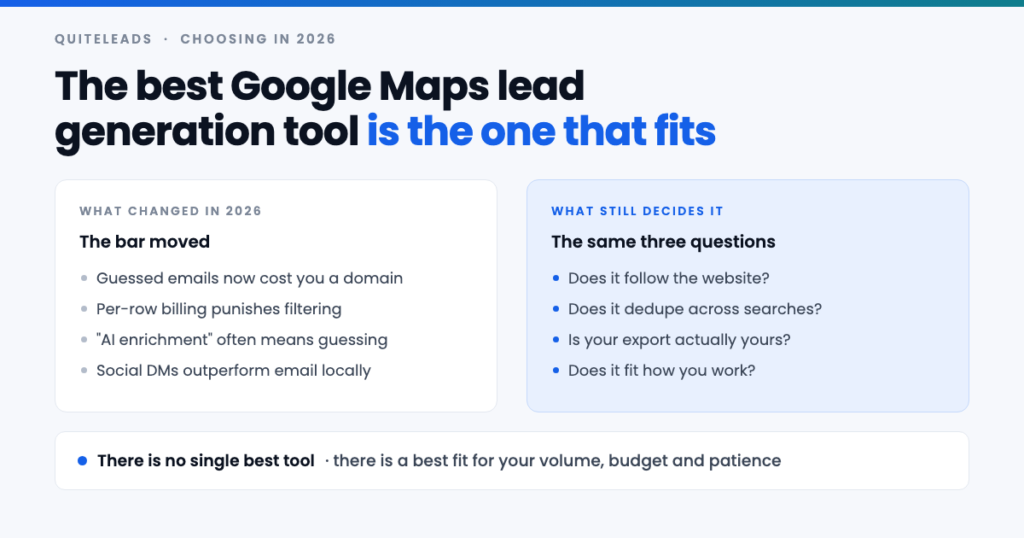
There is no single best Google Maps lead generation tool, only a best fit.
Short answer: there is no single best Google Maps lead generation tool, and any list that claims otherwise is ranking affiliate payouts. There is a best fit for how you work — and for most people building their own pipeline, that is a browser extension with flat pricing that follows each business’s website for the email and social profiles the listing never carries.
Key takeaways
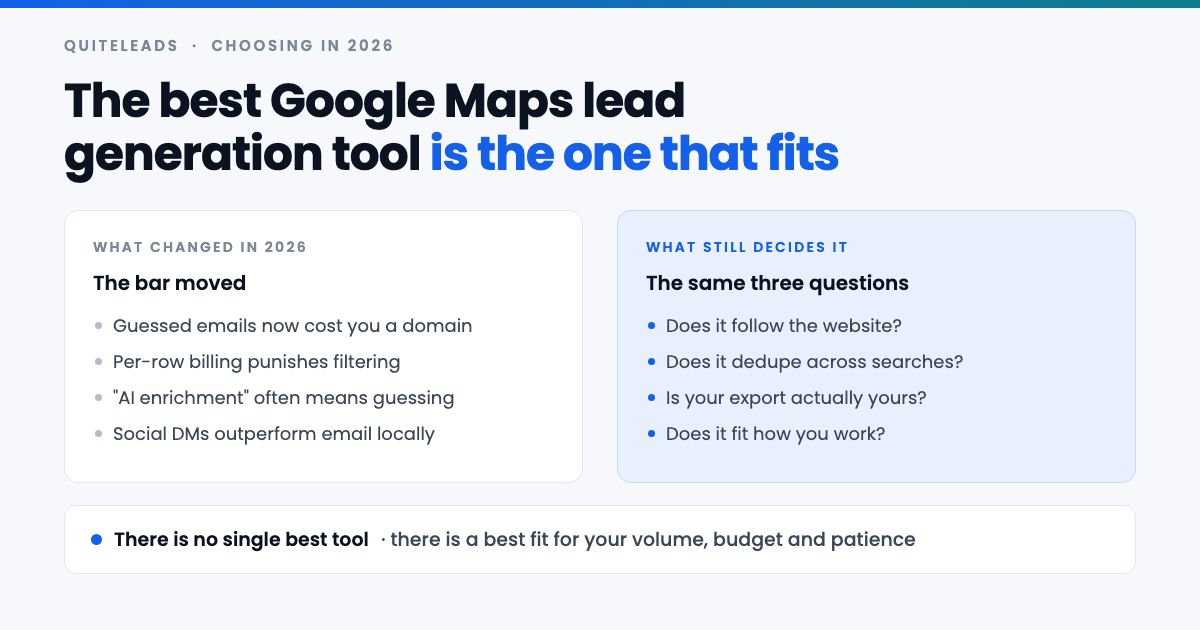
- Judge on the second hop. Anything can read a phone number off a listing; the email and socials are the hard part.
- Per-row pricing punishes good practice. It charges you for the rows you were going to delete.
- Deduplication across searches is not a nice-to-have. Without it the grid method does not work.
- Match the tool to your bottleneck. For most people that is writing messages, not collecting rows.
- Trial it on one district. Twenty messages tells you more than any review.
Table of contents
Why there is no single best tool
Search for the best Google Maps lead generation tool and you will find a dozen listicles with roughly the same ten products in a slightly different order. They are ranked by who pays the most per referral, not by who does the job. That is worth knowing before you read another one, this article included.
The more useful reason there is no single winner is that people are buying for different bottlenecks. A freelancer who needs 200 well-chosen local businesses and a data team that needs every restaurant in three countries on a Monday schedule are not buying the same product, and no single tool is honestly best at both.
So the useful question is not which Google Maps lead generation tool is best. It is which shape of tool fits the way you actually work, and then which product of that shape does the second hop properly.
What changed in 2026
Four things have shifted enough to change the buying decision.
- Guessed emails now cost you real money. Inbox providers have tightened hard on senders with high bounce rates. A tool that fabricates
info@addresses to inflate its coverage number is actively damaging your sending domain. - “AI enrichment” is doing a lot of work in marketing copy. Sometimes it means a model reading a contact page, which is genuinely useful. Sometimes it means the same guessing with a better name.
- Social channels have caught up with email for local outreach. A salon owner reads their Instagram messages and ignores a generic inbox, so a tool that only returns emails is solving half your problem.
- Per-row pricing has spread, which quietly penalises the one habit that makes outreach work: throwing most of the list away.
None of that changes the underlying method — the grid of searches, the second hop, the filtering. It changes which Google Maps lead generation tool is worth paying for while you do it.
A ten-minute scoring rubric
Score any Google Maps lead generation tool out of ten. Two points each, and be strict — a “planned” feature scores zero.
| Test | What full marks looks like |
|---|---|
| Follows the website | Returns emails read from the business’s own site, not guessed from the domain |
| Returns social profiles | Instagram, Facebook, LinkedIn and TikTok URLs attached to the right business |
| Dedupes across searches | Running two overlapping queries gives you one row, automatically |
| Export is genuinely yours | CSV or JSON, every field, no row cap, no “contact sales” |
| Pricing survives your worst month | Flat, or cheap enough that collecting 5,000 rows to keep 400 is fine |
Eight or more and it is a serious Google Maps lead generation tool. Six is workable if the gap is something you do not need. Below that you are buying a phone-number scraper with a good landing page, and the mechanics of what it should be doing are covered in our complete guide to Google Maps scraping.
The four shapes of tool
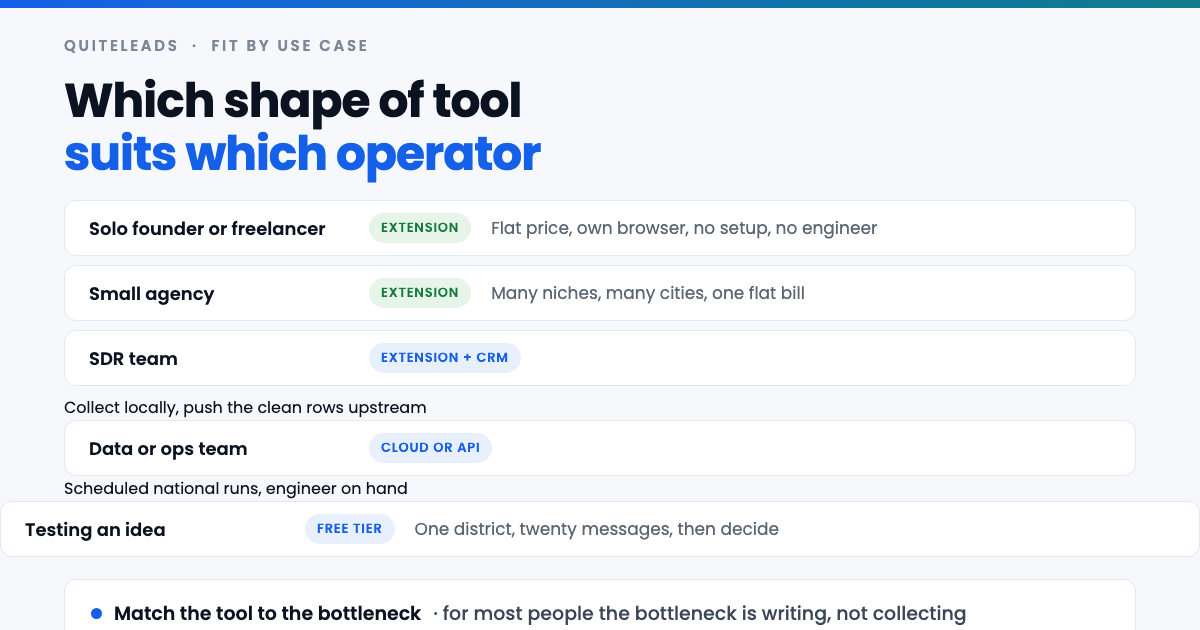
- Browser extension. Runs in your own browser on the page you already have open. Human pace, usually flat pricing, installs in a minute, nothing to maintain.
- No-code cloud tool. You submit a query and collect results later. Fast and hands-off, almost always billed per row, and the data is sometimes a cached copy rather than what is live.
- Desktop application. One machine, one licence, no browser involved. Tends to age badly between updates and rarely handles the second hop well.
- The Places API plus your own code. Official, structured and billed per request. It returns the same fields the listing shows, so you still have no email and no socials, and you now maintain software.
The four sections below take the common situations in turn. Find yours, and the choice of Google Maps lead generation tool mostly makes itself.
If you are a freelancer or solo founder
Your constraint when picking a Google Maps lead generation tool is not rows, it is hours. You can perhaps write forty genuinely personal messages a week, which means you need a few hundred well-chosen businesses, not fifty thousand.
A browser extension is the right shape. Flat pricing means you can collect a whole city, keep the best 5% of it and not feel the waste. Working in your own browser means no setup, no proxies and nothing to configure at eleven at night. And because you are there while it runs, you see the businesses as they land, which is how you learn what your niche actually looks like.
What to insist on: the second hop, deduplication, and an export you own. What to ignore: throughput, scheduling, team seats, integrations. You are not going to use them and you will be paying for them every month.
If you run a small agency
An agency asks more of a Google Maps lead generation tool: many niches, many cities, and lists that need rebuilding every time you take on a new client or test a new vertical. That is a lot of collecting, and it is exactly where per-row billing hurts most.
Run the numbers before you commit. Six client verticals, three cities each, a few thousand rows per run and a rebuild every quarter puts you well into five figures of rows a year. On a per-row plan that is a real line item; on a flat plan it is the same bill as one city.
The other agency-specific requirement is clean separation. You want each client’s list exportable on its own, so that when an engagement ends you can hand it over or delete it without unpicking one giant table. Check that before you buy, because retrofitting it is miserable.
If you run an SDR team
With a team, the failure mode is not collection — it is two reps messaging the same business in the same week. That is a deduplication problem that lives above the tool, in whatever system holds the truth.
The pattern that works is to collect locally and push upstream: reps use an extension to build lists, and everything clean goes into the CRM, which owns ownership and suppression. The Google Maps lead generation tool is a collection layer, not a system of record, and treating it as one is how teams end up with three conflicting lists.
Practically that means you care about export quality far more than about a built-in sequencer. A clean CSV with stable field names beats a mediocre email sender you will turn off in a month.
If you have a data or ops team
This is the one case where the cloud and API shapes genuinely win. If you need every business in a category across a country, refreshed monthly, on a schedule nobody has to remember, you want something that runs without a human and writes into a warehouse.
Two warnings. The Places API is the official route and returns no emails and no social profiles, so you will be building the second hop yourself — a crawler that visits each website, finds the contact details, and handles the long tail of sites that are broken, parked or built entirely in JavaScript. That is a real project, not an afternoon.
And scale changes your legal exposure. Collecting a country’s worth of business records puts you in a different conversation about data protection than collecting one city, and that is worth proper advice rather than a blog post.
If your budget is zero
Do it by hand, deliberately, once. Pick one district and one search term, open twenty listings, and copy the name, phone, website, email and Instagram link into a spreadsheet. It takes about forty minutes.
That forty minutes buys you two things no free tier will. You learn whether businesses in your niche publish an email at all, and you send twenty messages — which tells you whether the offer works before you have spent anything on tooling. If nobody replies, no Google Maps lead generation tool was going to save that campaign.
Free tiers are worth using after that, as a trial of a specific product, rather than as a strategy. The full manual method is in our guide to extracting contact info and social links from Google Maps.
How the pricing models really differ
Pricing is where most of the regret over a Google Maps lead generation tool lives, because the models look similar on a pricing page and behave completely differently once you are working.
- Flat monthly. You pay the same whether you collect 500 rows or 50,000. It makes filtering free, which is the behaviour you want.
- Per row or per credit. Every row costs, including the chains, the closed businesses and the ones with no email — the rows you were always going to delete. It quietly pushes you toward keeping bad data.
- Per verified contact. Sounds fair, and turns on what the vendor counts as verified. Check that definition carefully; it is often “the domain exists”.
- Per seat. Fine for teams, punishing for a solo operator who wanted one login.
The test that cuts through it: price the month where you collect five thousand rows across four cities and keep four hundred. That is a normal month once you are working properly, and it is the month where per-row plans stop looking cheap.
Marketing claims worth ignoring
- “Unlimited leads.” No tool lifts Google’s per-search cap of roughly 120 results. What good tools do is make it easy to run many searches and merge them, which is a method rather than a feature — the mechanics are in our guide to scraping unlimited leads from Google Maps.
- “500 million business records.” A database is not a live listing. Local businesses close, rebrand and move constantly, and a big static number usually means old data.
- “98% email accuracy.” Measured how, against what? Ask whether the addresses are read from the site or generated from the domain. The answer decides your bounce rate.
- “GDPR compliant.” A tool cannot make your sending lawful. Compliance depends on what you send, to whom, and how you handle opt-outs.
- “Connect your Google account.” Nothing about reading a public map requires your login. Treat the request as a reason to close the tab.
Where QuiteLeads fits
Fair warning: this is our product, so weigh it accordingly and run the rubric above on it as strictly as on anything else.
QuiteLeads is the browser-extension shape. It works on the Google Maps page you already have open — no login handed over, no cloud queue — and collects the listing fields as you run each search in your grid.
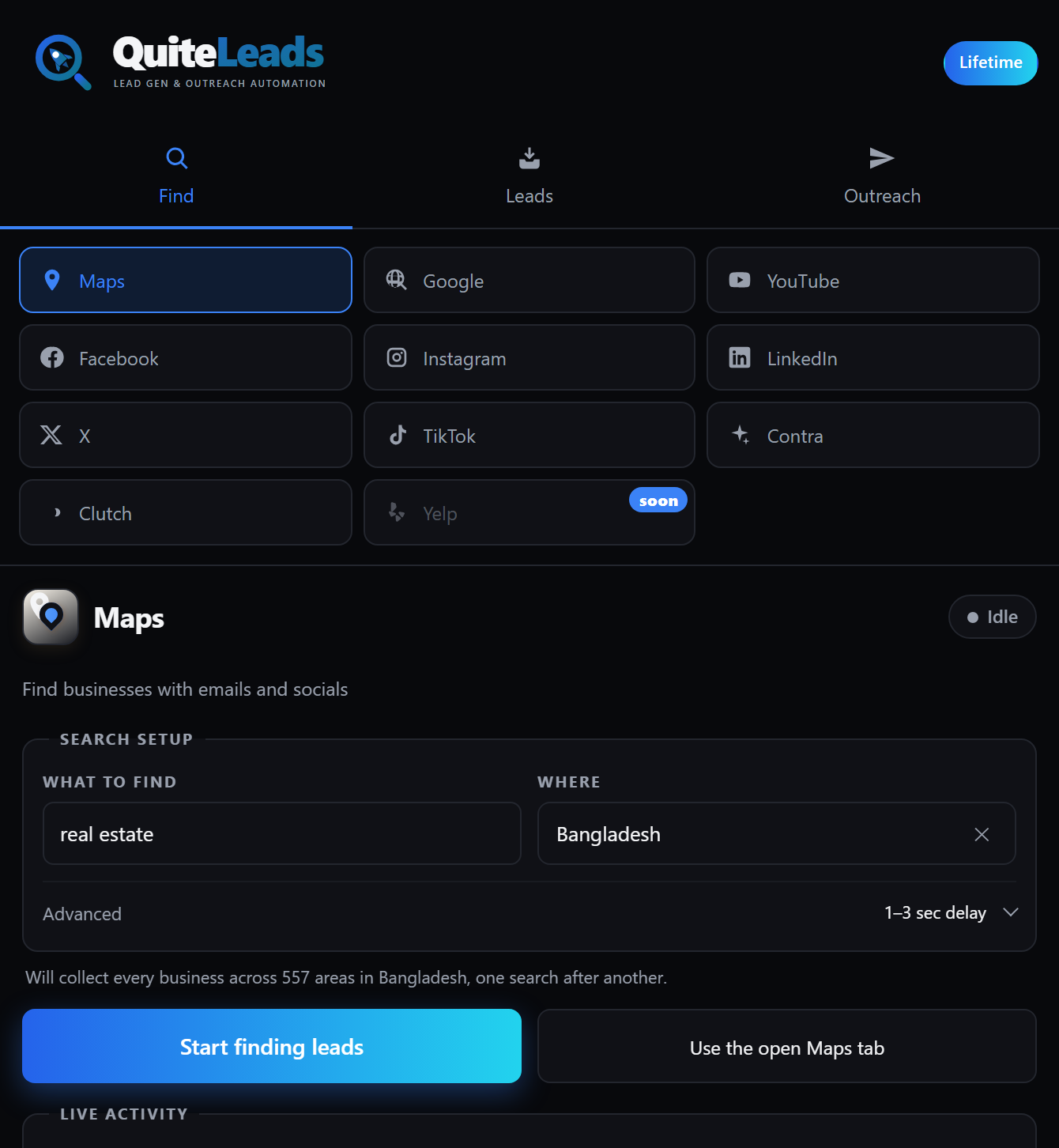
On the rubric: it follows each business’s website to pull emails and social profiles rather than guessing them, it skips businesses you have already collected so overlapping searches cost you nothing, and it exports to CSV or JSON with every field. Pricing is flat, so collecting five thousand rows to keep four hundred is a normal Tuesday rather than an invoice.
Where it is the wrong choice: if you need a scheduled national run writing into a warehouse with nobody at the keyboard, an extension is the wrong shape and you want the cloud or API route instead. It is also one of ten sources rather than a Maps-only product, which matters if Maps is genuinely the only place your buyers are.
How to run a fair trial
Most people trial a Google Maps lead generation tool by collecting a big list, seeing a big number and buying. That tests nothing. Run this instead — it takes an hour and it tests the things that actually break.
- Pick one district and one search term in a niche you know well, so you can tell when the data is wrong.
- Collect it, then run an overlapping search — the neighbouring district, or a second term. Count how many duplicates you get. Zero is the answer you want.
- Open ten rows that came back with an email and check each address actually appears on that business’s website. This single test separates real tools from guessers.
- Count the contactable rate. What share came back with an email or a social profile? Under half in a niche that is clearly online means the second hop is weak.
- Export and open the file. Are the fields separate and stable, or is everything jammed into one column?
- Send twenty messages. Bounces and replies tell you more in three days than any feature comparison.
When to switch tools
Switching Google Maps lead generation tool costs you a week of relearning, so it wants a real reason. Four qualify.
- Your bounce rate is climbing. The most urgent one, because it damages an asset — your sending domain — that takes months to repair.
- You are rationing collection to protect your credit balance. The pricing model is now shaping your strategy, which is backwards.
- You are deduplicating by hand in a spreadsheet. You are doing the tool’s job.
- Your buyers moved. If replies now come from Instagram rather than email, a Maps-and-email-only tool has stopped matching your market.
Export everything before you cancel anything. A list you cannot get out is not yours, and you will only discover that on the day you need it.
Mistakes people make when choosing
- Buying on row count. The number that matters is contactable rows, which is usually a fraction of the headline.
- Buying an all-in-one before you have a working message. Sequencers, dialers and CRMs are the second problem. Get twenty replies first.
- Trusting a listicle. Including this one — run the rubric yourself on a district you know.
- Ignoring the export. It is the only feature that protects you from every other decision being wrong.
- Paying annually on day one. Two months of real use tells you whether the fit is right. Nothing else does.
Frequently asked questions
What is the best Google Maps lead generation tool in 2026?
There is no single best one, because a freelancer and a data team are buying for different bottlenecks. For most people building their own pipeline a browser extension with flat pricing wins, provided it follows each business’s website for emails and social profiles rather than guessing them.
Is there a free Google Maps lead generation tool?
Free tiers exist and are worth using to trial a specific product, but the genuinely free route is doing one district by hand: twenty listings, forty minutes, and you learn whether your niche publishes emails at all before spending anything.
Do Google Maps lead tools give you email addresses?
The good ones do, by following the website link on each listing through to the business’s own site. Google Maps itself has no email field, so any tool showing emails is either reading them from the website or guessing them from the domain – and guessing raises your bounce rate.
Can any tool scrape unlimited leads from Google Maps?
No tool lifts Google’s cap of roughly 120 results per search. What a good tool does is make it painless to run many searches across districts and search terms and merge them without duplicates, which is what unlimited actually means in practice.
Is a browser extension or a cloud scraper better?
An extension suits anyone building lists themselves: it runs at human pace in your own browser, usually costs a flat fee and needs no setup. A cloud tool or API earns its place when you need scheduled national runs feeding a warehouse and have an engineer to maintain it.
How much should a Google Maps lead generation tool cost?
Judge it by pricing the month where you collect five thousand rows and keep four hundred, because that is what working properly looks like. Flat plans make that free; per-row plans charge you for every row you were always going to delete.
The short version
That is how to choose a Google Maps lead generation tool without reading another sponsored ranking. Score it on the second hop, deduplication, export and pricing. Match the shape to your bottleneck. Trial it on one district and twenty messages. The tool matters far less than the fact that you are sending at all.
Get QuiteLeads and run the rubric on it this week, or read more lead source playbooks.