How to Scrape Unlimited Leads From Google Maps
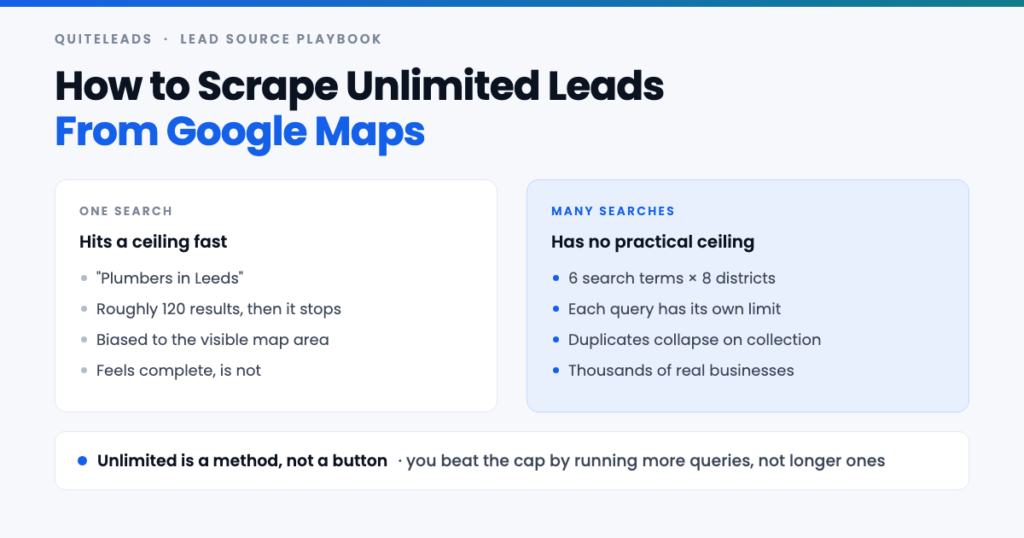
Scrape leads from Google Maps at volume by running more queries, not longer ones.
Short answer: a single Google Maps search stops at roughly 120 results no matter what you do, so you do not beat that ceiling by scrolling harder. You beat it by running many small searches instead of one big one. Scrape leads from Google Maps across a grid of districts and search terms, deduplicate as you go, and there is no practical limit on how many businesses you can collect.
Key takeaways
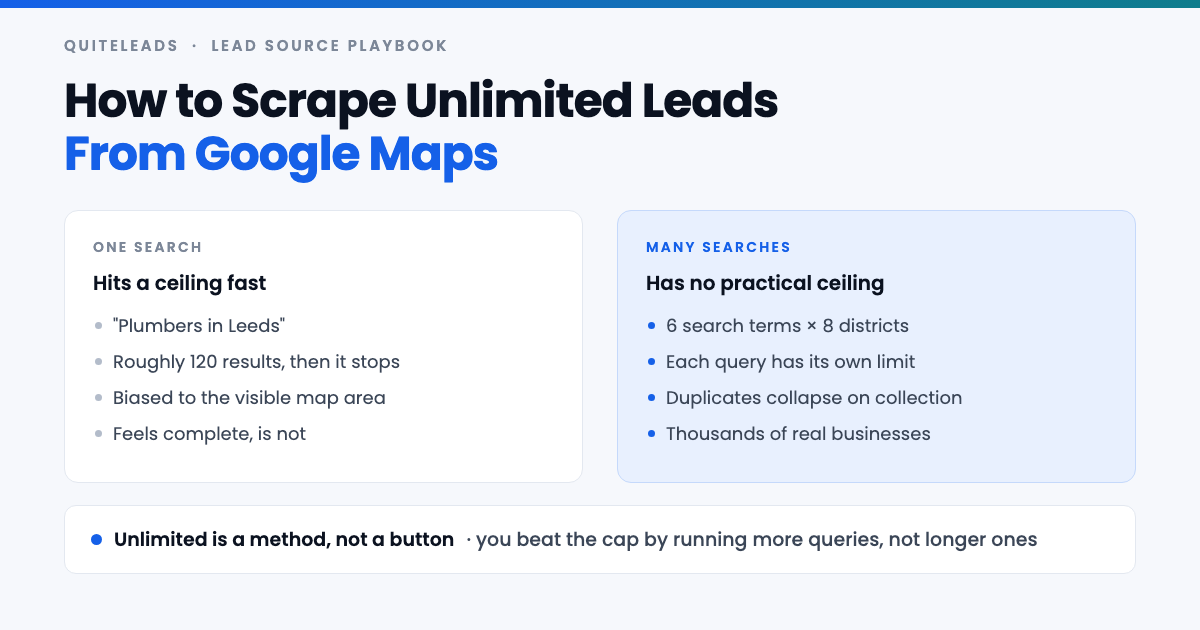
- The limit is per search, not per account. Scrape leads from Google Maps and any one query stops at around 120 results.
- “Unlimited” is a method. Split by district, search term, adjacent category and city.
- Deduplication is what makes it work. Overlapping queries are only safe if duplicates collapse.
- Ten thousand rows is not ten thousand leads. Collected, contactable and qualified are three different numbers.
- Scrape wide, send narrow. Volume belongs in the list, never in the sending.
Table of contents
The real Google Maps search limit
Everyone who tries to scrape leads from Google Maps meets the same wall. Run a search, scroll the results panel to the bottom, and eventually you hit a line that says you have reached the end of the list. In practice that happens at somewhere around 120 results — roughly six pages of twenty. It is the same cap whether you are signed in or not, and no tool changes it, because the cap belongs to the query rather than to you.
Two other behaviours matter just as much. Maps biases heavily toward the area currently visible on the map, so the same query returns different businesses depending on where you are zoomed. And it ranks by its own idea of relevance, which means a capped list is not a random sample of the market — it is the top slice, and the smaller independents you probably want are the ones cut off.
This is why people conclude the source is exhausted after one afternoon. They ran “restaurants in Manchester”, got their 120 rows, and assumed that was Manchester. It was the first page of Manchester.
What unlimited actually means here
Nobody can lift the per-query cap, and anyone who tells you they can scrape leads from Google Maps without one is selling something. What you can do is run a great many queries, each of which gets its own 120, and merge the results into one list. That is the whole trick, and it is why you can scrape leads from Google Maps effectively without ever fighting the limit.
The arithmetic is friendlier than it sounds. Six search terms across eight districts is 48 queries. Even if each returns only sixty usable rows and half of those are duplicates, that is well over a thousand distinct businesses in one city — from an afternoon of clicking, using nothing but the public map.
Multiply by the cities you can serve and the ceiling stops being Google’s and starts being yours: how many businesses you can actually contact properly. That is a much healthier constraint to be working against.
The grid method, step by step
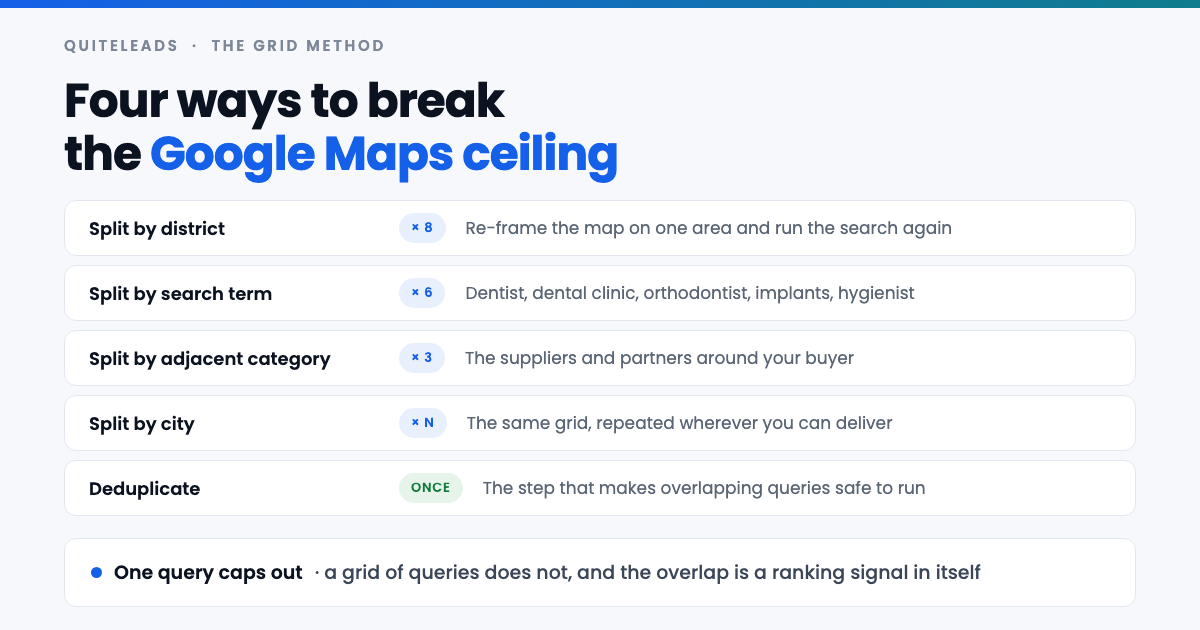
- Write your search terms down first. Six is a good target. Do this before you open Maps or you will improvise and lose track of what you have run.
- List the districts. Six to ten named areas per city. Locals know them; if you do not, the neighbourhood labels on Maps itself will tell you.
- Frame the map on one district and zoom in until that area fills the screen. This is the step everyone skips, and it is the one that changes the results.
- Run each term against that framing, collecting as you go, before moving the map.
- Move to the next district and repeat. Tick each cell off your grid so you never re-run one by accident.
- Deduplicate at the end, or better, use something that dedupes on collection so you never see the same business twice.
Keep the grid itself in a sheet — terms down the side, districts across the top — and mark each cell as you go. It sounds fussy for about ten minutes, and then it is the only reason you can put the work down on Tuesday and pick it up on Thursday without redoing half of it.
Building your search term list
Search terms multiply your coverage faster than anything else when you scrape leads from Google Maps, because Google files businesses under one primary category and a business that calls itself a “dental clinic” may never appear under “dentist” at all.
- The obvious term. “Dentist”. Start here, get your 120, then stop treating it as the market.
- The formal term. “Dental clinic”, “dental practice”, “dental surgery” — what the business calls itself on its own signage.
- The specialisms. “Orthodontist”, “cosmetic dentist”, “dental implants”, “emergency dentist”. Each is a separate Maps category with a separate cap.
- The customer’s words. What someone types when they have toothache at eleven at night, which is rarely what the industry calls itself.
Two shortcuts build the list for you. Google’s own autocomplete finishes your query with the phrasings people actually search, and the category label shown on any listing you already like is a term you can search directly. Ten minutes of this beats an hour of guessing.
Splitting a city into districts
Geography is the other multiplier, and it is the more reliable of the two when you scrape leads from Google Maps. The rule is simple: the smaller the area on screen, the deeper into the tail Google will let you go, because there are fewer businesses competing for those 120 slots.
- Named neighbourhoods first. “Barbers in Shoreditch” behaves completely differently from “barbers in London”.
- Postcode districts where the neighbourhood names are vague or contested.
- Suburbs and commuter towns. Usually under-worked by everyone else, because they are not on the list of places people think of first.
- High streets and retail parks for trades that cluster physically, where one framing captures a whole strip.
You will know the granularity is right when a query stops hitting the cap. If “cafes in Chorlton” returns forty results and ends naturally, you have that district completely — which is a far better position than a capped list of 120 that silently hides the rest.
The adjacent category trick
Once you have scraped leads from Google Maps for your obvious category and the grid is exhausted, the market is usually bigger than you assumed — sideways rather than deeper.
If you sell booking software to hair salons, the same product very likely suits barbers, nail bars, beauty clinics, tattoo studios and massage therapists. Each is its own Maps category with its own cap in every district you have already mapped. The grid you built for salons runs again, unchanged, against five more categories.
The suppliers and partners around your buyer are a second sideways move. A wedding photographer’s market includes venues, florists and planners — different businesses, same events, and often a warmer opening line because you can mention the customer you both serve.
Why deduplication is the whole game
Overlapping queries are the point of the grid, which means that when you scrape leads from Google Maps this way, duplicates are guaranteed. A clinic on the boundary of two districts appears in both. A practice that calls itself a dental surgery and does implants appears under two terms. Without deduplication your ten thousand rows might be four thousand businesses, and you will not know which.
Match on the website domain first, because it is the most stable identifier a business has. Fall back to the phone number, then to name plus postcode. Do not match on business name alone — “The Barber Shop” exists in every city in the country, and you will merge unrelated businesses.
Deduplicating on collection rather than afterwards is worth a lot. It means you can re-run the same city next month and only see what is new, which turns a one-off scrape into a source you keep coming back to. Sending the same business two identical messages from two different queries is the fastest way to look automated, and it is entirely self-inflicted.
How to scrape leads from Google Maps in practice
Everything above works by hand: you can scrape leads from Google Maps with nothing but a browser and a spreadsheet. It is also about four hours per city, most of it spent copying a phone number into a spreadsheet and then losing your place. The method is the valuable part; the clicking is not.
That is the part QuiteLeads handles. It is a Chrome extension, so it works on the Google Maps page you already have open — no login handed over and no cloud queue sitting on someone else’s server. You run each query in your grid, and it collects the listings on screen: name, category, address, phone, website, rating and review count.
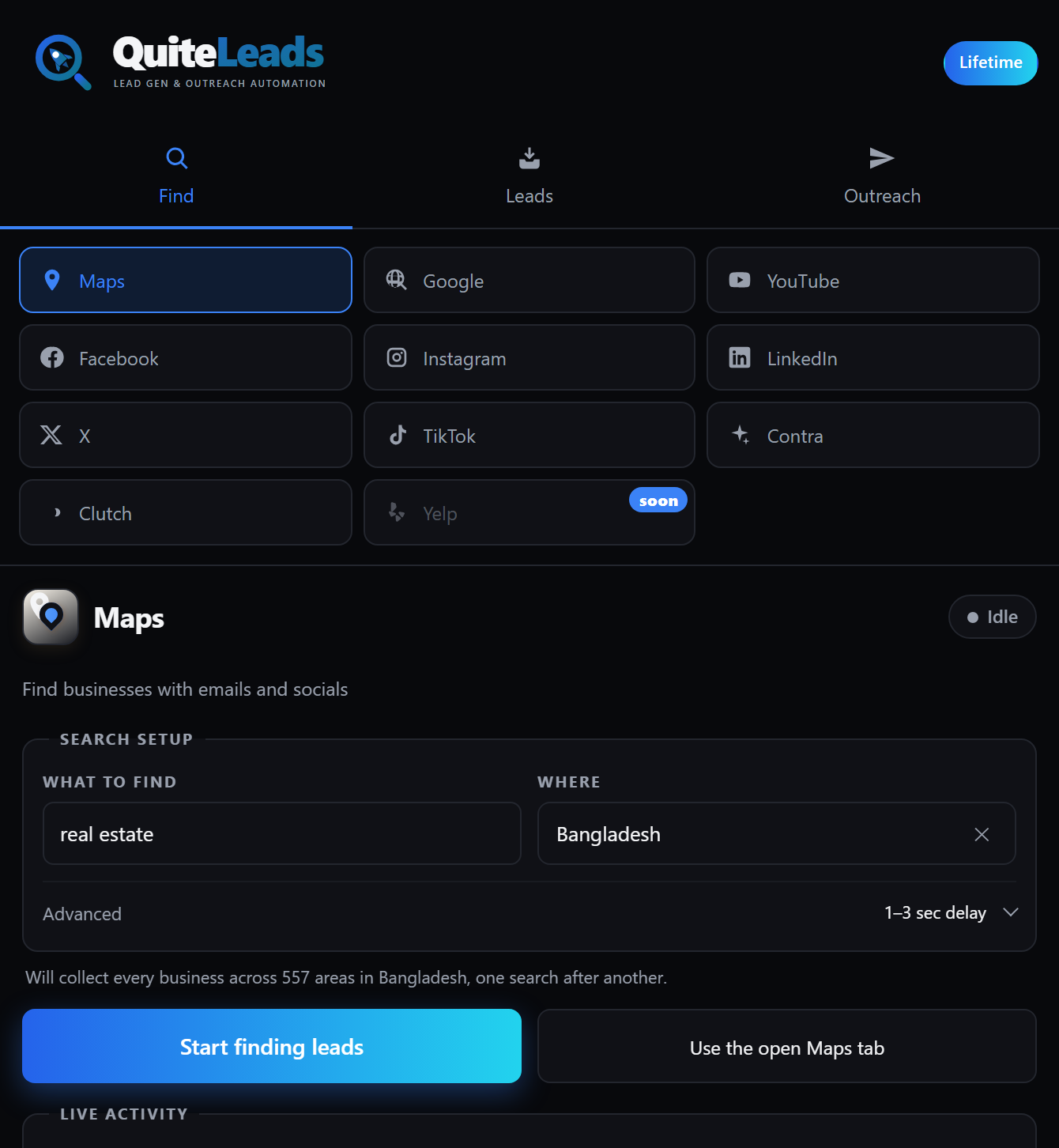
Two things make the grid method practical rather than theoretical. Businesses you have already collected are skipped automatically, so overlapping queries cost you nothing and running the same city next month shows you only what is new. And each business’s own website is followed to pull the email address and social profiles that the listing never carries.
Every list lands in one dashboard alongside your leads from Instagram, LinkedIn, TikTok, Facebook and the rest. Export to CSV or JSON whenever you want, or message straight from the list.
Browser extension vs server scraper
Broadly there are two ways to scrape leads from Google Maps, and the difference is not really about features.
| Browser extension | Server-side scraper | |
|---|---|---|
| Where it runs | Your own browser, on your session | Someone else’s datacentre |
| Speed | Human pace, one query at a time | Fast, many queries at once |
| Blocking risk | Low: it looks like browsing | Higher: datacentre traffic gets flagged |
| Cost model | Flat | Usually per row or per credit |
| Data freshness | Live, what you see now | Sometimes a cached copy |
| Setup | Install and go | API keys, proxies, or a queue |
For one person building a prospect list, the extension route wins on almost every axis that matters, and the speed advantage of a server scraper is largely wasted — you cannot send fifty thousand messages this month anyway. Server-side tooling earns its place when you need the whole of a country on a schedule and have an engineer to keep it running.
How many leads a city really holds
Worth doing the sums once before you scrape leads from Google Maps at scale, because the answer is usually larger than people expect and it changes how you plan the month.
Take a mid-sized city and one trade. Eight districts, six search terms, so 48 queries. Assume a conservative 50 usable results per query, and assume a punishing 60% of those are duplicates of something you already have. That still leaves roughly 960 distinct businesses — from one trade, in one city, using nothing but the public map.
Now add the adjacent categories. Five more categories against the same grid, at the same rates, and you are at four to five thousand businesses without leaving the city. At that point the limit genuinely is your capacity to write messages, which was the point of the exercise.
Those multipliers are illustrative, not a promise — a dense city centre will beat them and a rural county will not come close. Run one district yourself, measure the real numbers, and scale from what you actually got.
Ten thousand rows is not ten thousand leads
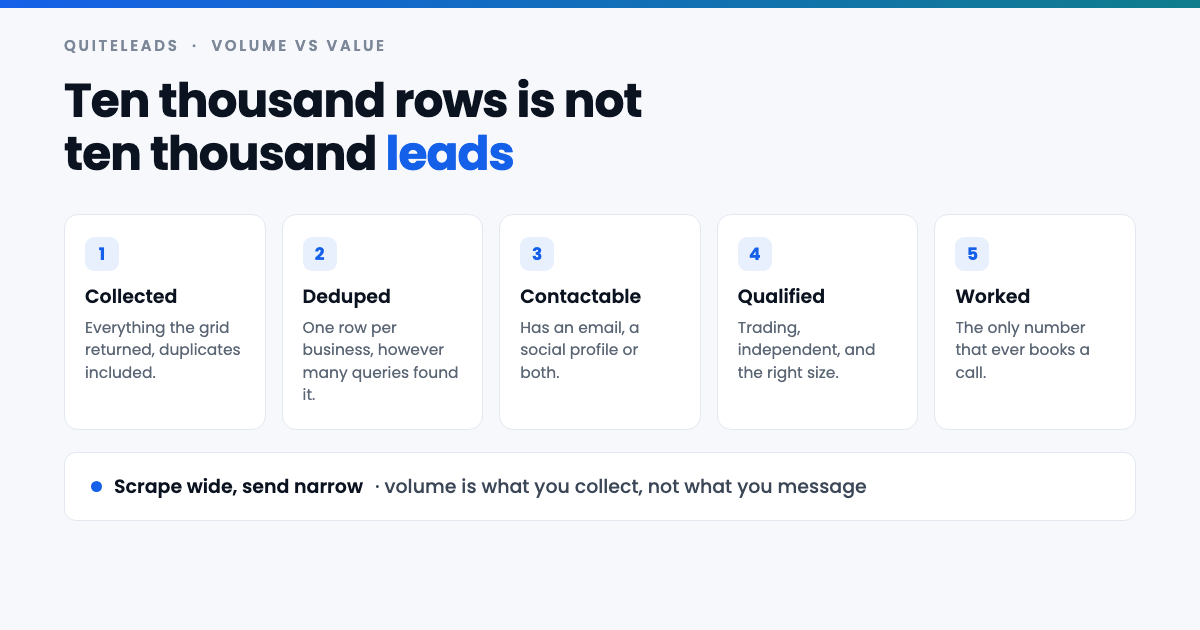
This is where the plan to scrape leads from Google Maps without limits goes wrong. A big number feels like progress, and then the outreach lands like a wet weekend, because the list was never filtered.
- Drop the chains. Forty branches of one franchise is one head office that will not read your message, and they bloat a city list badly.
- Drop the permanently closed. Maps flags them, and messaging one is the fastest way to look automated.
- Drop the unreachable. A name and an address is a fact, not a lead.
- Sort by review count. It is the closest thing to a health check a listing gives you — proof the business is trading and taking customers.
- Segment before you write. One message for the twelve-review independents and another for the two-hundred-review establishments, because they do not have the same problem.
Scrape wide and send narrow. The volume belongs in the list so that you can afford to be picky; it does not belong in the sending, where being picky is the entire advantage.
Getting the emails and social profiles
A Maps listing has no email field and no social handles, so a raw pass to scrape leads from Google Maps of ten thousand businesses gives you ten thousand phone numbers and not much else. For most people that is not a usable list.
The website field on the listing is the bridge. A business’s own site publishes the email in the footer or on the contact page, and the Instagram, Facebook, LinkedIn and TikTok links in the icon row that nearly every small-business site carries. That second hop is what turns a scraped row into something you can actually contact — the full method is in our guide to extracting contact info and social links from Google Maps.
Whatever you do, do not invent addresses. Guessing info@ for a domain that does not use it produces bounces, and enough bounces will hurt your deliverability for every real prospect on the list. Take what the site publishes, leave the rest empty, and work the empty rows by phone or social instead.
Mistakes that cap you without you noticing
Most people who scrape leads from Google Maps and conclude the source is tapped out made one of these, rather than actually reaching the end of a market.
- Searching the city, never the district. The single biggest cause of a small list, and the easiest to fix.
- Using one search term. You are seeing one Maps category out of five or six that fit your offer.
- Not zooming before searching. Typing “in Chorlton” while the map shows all of England does not do what you think it does.
- No record of what you ran. Without the grid ticked off you will re-run half your queries and miss the other half.
- Scraping everything before testing anything. Do one district, message twenty businesses, then decide whether the whole city is worth collecting.
- Treating the list as permanent. Local businesses close, rebrand and change hands constantly. Anything older than a quarter wants a refresh.
How to do this without getting blocked
You can scrape leads from Google Maps all week without trouble, because Google does not much mind a person browsing its map. It minds traffic that does not look like a person. The practical rules follow from that.
- Work at human pace. A query, a scroll, a pause. Hammering a hundred queries a minute is what triggers a challenge.
- Spread the work over days. A grid is not urgent; a city collected across a week is indistinguishable from ordinary use.
- Stay in your own browser. Your normal session and your normal address raise no flags.
- Stop when you see a challenge. A verification prompt is a warning. Come back tomorrow rather than pushing through it.
The same restraint pays off in your outreach. A sending pattern that looks like a person writing to businesses gets replies; one that looks like a machine gets filtered, and no amount of volume upstream fixes that.
Is scraping Google Maps legal?
Two questions hide inside that one, and they have different answers. The first is whether collecting the data is permitted. The second is whether you may then market to it — and the second is where the real penalties live.
On collection: a business name, address, phone number and website published on a public listing is business contact information, put there deliberately so that customers can get in touch. Google’s position on automated access to its services is set out in its Terms of Service, and it is worth reading directly rather than taking anyone’s summary of it. If you would rather stay strictly inside a documented interface, the Places API is the official route, though it is billed per request and returns no emails or social links either.
On sending, the rules depend on where your prospect is. UK and EU rules treat email to a corporate subscriber differently from email to a sole trader or an individual, and every message must identify you and offer a way to opt out. In the United States, CAN-SPAM permits cold email to businesses but requires accurate headers, a physical postal address and a working unsubscribe link. A named owner’s personal email brings GDPR into play regardless of where you found it.
None of that is legal advice and the rules move. The practical version: collect what businesses publish for exactly this purpose, keep the volumes sane, say who you are, honour an opt-out the first time, and take proper advice before running high volumes into a regulated market.
What to measure
Four numbers tell you whether it is working to scrape leads from Google Maps this way, and they turn the whole thing from a feeling into a decision:
- New businesses per query — distinct rows a query added that you did not already have. When this approaches zero across a district, that district is done.
- Duplicate rate — high is fine and expected. It only becomes a problem if you are not deduplicating.
- Contactable rate — the share with an email or a social profile. Below half, your niche is thinly online and phone should lead.
- Minutes per booked call — collection plus filtering plus sending, divided by calls. The only number that pays you.
Run one district end to end before you commit to a city. Your market may disagree with this article, and your numbers outrank my opinion.
Frequently asked questions
Can you really scrape unlimited leads from Google Maps?
Not from a single search – one query stops at roughly 120 results and no tool changes that. You get an effectively unlimited list by running many queries instead: split by district, by search term and by adjacent category, then deduplicate the results into one list.
What is the Google Maps search result limit?
A single search returns around 120 results, about six pages of twenty, and then Maps tells you that you have reached the end. The cap belongs to the query rather than to your account, so signing in or scrolling harder makes no difference.
How do you get past the Google Maps result limit?
Frame the map on one district, zoom in, and run your search there, then repeat across every district and every search term your market uses. Each query gets its own cap, so a grid of 48 queries returns far more than any one of them could.
Does Google Maps give you email addresses?
No. A Google Business Profile has no email field and no social handles. The email and the Instagram, Facebook and LinkedIn links are found by following the website link on the listing through to the business’s own site.
Is it safe to scrape leads from Google Maps?
Work at human pace in your own browser and spread a city over several days rather than hammering queries. If you see a verification challenge, stop for the day. Browser-based collection looks like ordinary browsing, which is why it draws far less attention than datacentre traffic.
How many leads can you get from one city?
Eight districts by six search terms is 48 queries, which commonly yields around a thousand distinct businesses in a single trade even after heavy deduplication. Add the adjacent categories that fit the same offer and several thousand per city is realistic.
The short version
That is how to scrape leads from Google Maps without limits, in one line. One query caps at 120. A grid of queries does not cap at all. Deduplication is what makes the grid safe, and filtering is what makes it worth sending. Build the grid once and the same afternoon of work repeats in every city you can serve.
Get QuiteLeads and run your first grid this week, or start from the top with the complete guide to Google Maps scraping for lead generation.