Google Maps Lead Scraper: Find Thousands of Local Business Leads
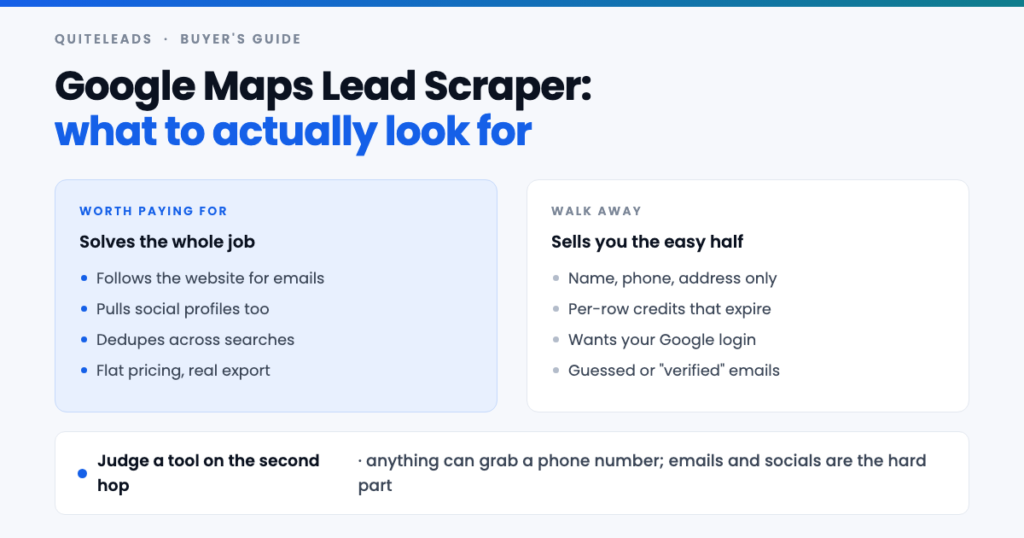
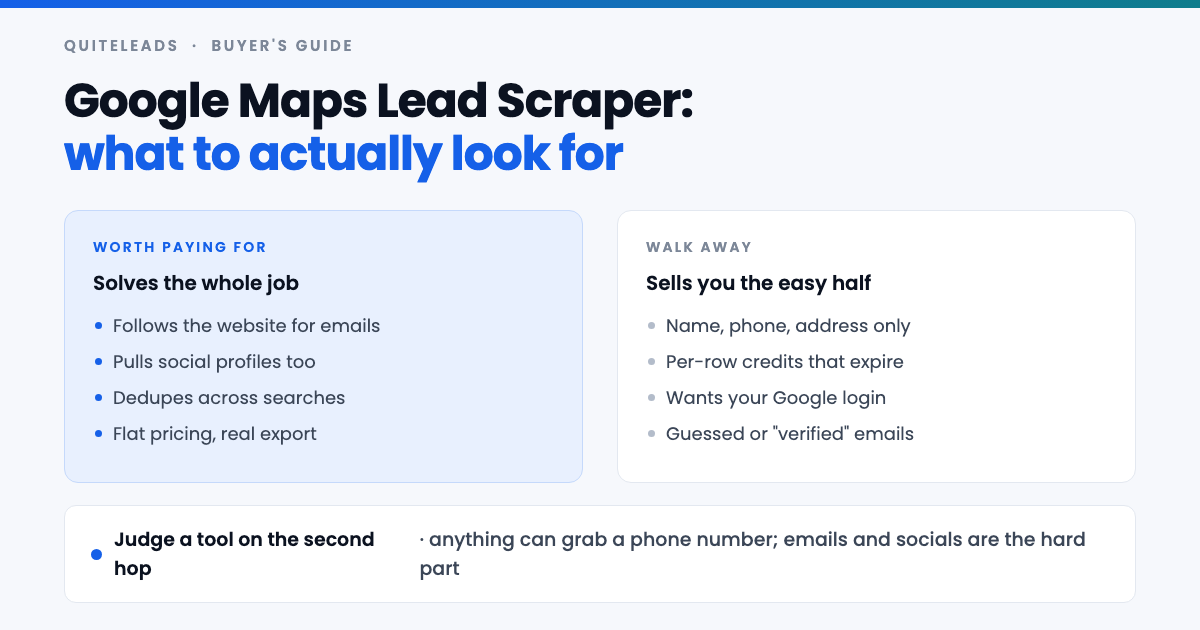
A Google Maps lead scraper is worth judging on the second hop, not the first.
Short answer: a Google Maps lead scraper collects the businesses on a Maps search into a list you can actually work — name, category, address, phone, website, rating. The good ones then follow each business’s own website to pull the email address and social profiles that Maps never publishes. That second step is the entire difference between a tool worth paying for and a very slow way to build a phone book.
Key takeaways
- Every Google Maps lead scraper gets the listing fields. That part is easy and nobody deserves credit for it.
- Judge on emails and social profiles. Those come from the business website, not the listing.
- Deduplication decides whether you can search broadly. Without it, overlapping searches are unusable.
- Per-row pricing punishes exactly the behaviour that works. Flat pricing lets you search wide and send narrow.
- Thousands of leads is real, but it comes from many searches, not from one big one.
Table of contents
What a Google Maps lead scraper actually does
Strip away the marketing and a Google Maps lead scraper does one mechanical thing, over and over: it reads the businesses in a Maps search result and writes them into rows. Instead of opening 120 listings by hand and copying six fields out of each, you run the search and get the table.
The fields it can take from the listing are fixed, because they are all Google publishes: business name, category, full address, phone number, website URL, star rating, review count, opening hours and the occasional attribute. Every Google Maps lead scraper on the market gets these, and none of them can get more, because there is nothing more on the page.
Which is why the interesting question is never “does it scrape Google Maps”. They all do. The question is what happens after that — whether the tool stops at the listing or goes on to the business’s own website, where the email address and the social profiles live. Everything else in this guide is downstream of that one distinction.
The four kinds of tool
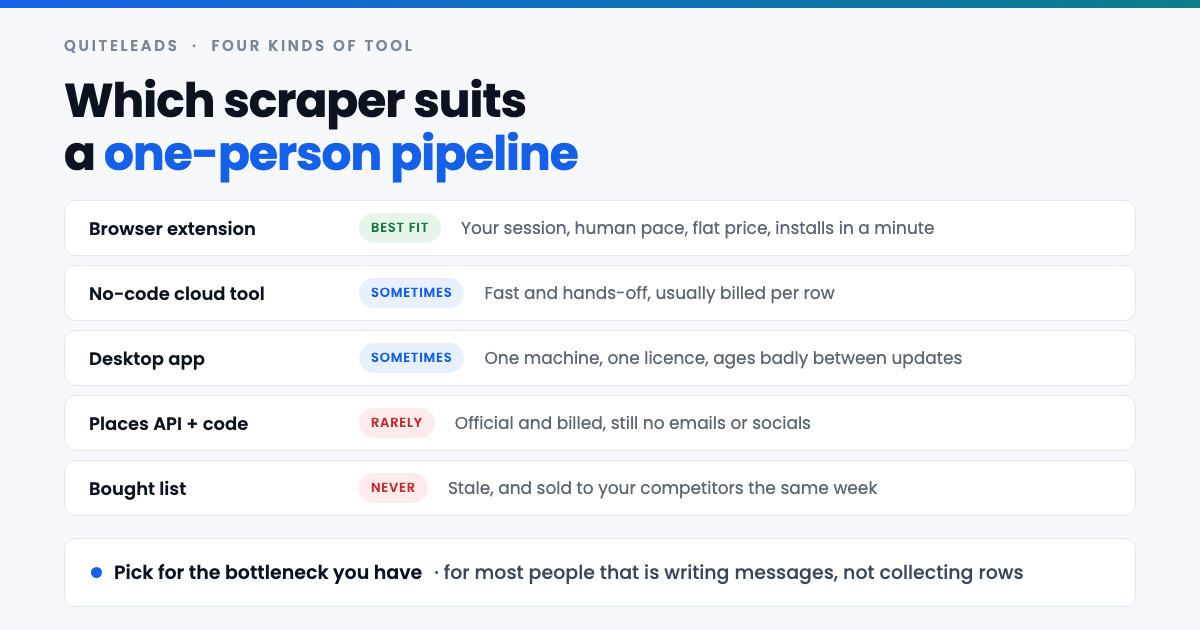
- Browser extensions. Run inside your own Chrome on the Maps page you already have open. Human pace, your own session, usually flat pricing, and they install in under a minute. For one person building a pipeline this is nearly always the right shape of tool.
- Cloud and no-code tools. You give them a query, they hand back a file later. Genuinely hands-off, and genuinely fast, but they bill per row and the data is sometimes a cached copy rather than what is on Maps today.
- Desktop applications. A one-off licence and a program on one machine. They work until Google changes its layout, and then you wait for an update.
- The Places API plus your own code. Official, documented and billed per request. It returns the same listing fields — no emails, no socials — so you have added a developer and a billing account without solving the actual problem. The Places API documentation spells out exactly what it returns.
There is a fifth option people reach for and should not: buying a list. It is cheap, it is stale, and it was sold to three of your competitors the same week. Any Google Maps lead scraper beats it, because at least your data is from this morning.
The feature that matters most
A Google Business Profile has no email field and no place to put an Instagram handle. Google does not ask for them, so owners cannot publish them there. They publish them on their own website instead — in the footer, on the contact page, in the row of social icons that nearly every small-business site carries.
So a Google Maps lead scraper that stops at the listing hands you a spreadsheet of phone numbers. If you are a strong cold caller that is a real asset. If your outreach runs on email or DMs, it is a list you cannot use, and you are about to spend a week clicking through websites yourself — which was the work you paid to avoid.
The tools worth your money follow the website URL from each listing and read what is published there: the contact email, and the Instagram, Facebook, LinkedIn, TikTok, X and YouTube profiles. It is the same two-hop chain described in our guide to extracting contact info and social links from Google Maps, done for a few thousand businesses instead of one.
Ask about this before anything else. It is the single question that sorts the market, and it is remarkable how many product pages talk about speed and export formats without mentioning it at all.
A ten-point buying checklist
Run any Google Maps lead scraper past these ten before you pay for a year of it.
- Does it follow the website for emails? The one that matters most.
- Does it collect social profiles too, and does it keep them in separate fields rather than one mixed column?
- Does it deduplicate across searches? Without this you cannot run overlapping queries, which is how you get past the result cap.
- Does it remember what you already collected so next month’s run shows only what is new?
- Can you export properly? CSV and JSON, all rows, no paywall on your own data.
- Does it capture rating and review count? They are your best proof a business is actually trading.
- Is the pricing flat, or does every row cost you something?
- Does it work on other sources? Maps is one channel; a tool that also handles Instagram, LinkedIn and Facebook keeps one list instead of five.
- Does it ask for your Google password? It never needs one. Walk away if it does.
- Can you message from it, or does the list end in a file you have to re-import somewhere else?
Six or seven yeses is a good tool. Anything that fails the first three is a spreadsheet generator with a subscription attached.
Pricing models and what they really cost
The sticker price of a Google Maps lead scraper is the least interesting part. What matters is what the model does to your behaviour.
| Model | How it feels | What it does to you |
|---|---|---|
| Flat monthly | Predictable | You search widely and filter hard, which is correct |
| Per row or per credit | Fair on paper | You hesitate before every search and under-collect |
| Credits that expire | Cheap up front | You collect junk in December to use them up |
| One-off licence | Good value | Fine until the layout changes and updates stop |
| Free tier only | Risk-free | Usually capped below one useful search |
Per-row pricing is the one to watch, because it charges you for the exact strategy that works. The whole method is to collect broadly and then throw most of it away — scrape wide, send narrow. A Google Maps lead scraper that bills per row makes throwing rows away feel expensive, so people stop filtering, and then they wonder why their reply rate collapsed.
Are free Google Maps lead scrapers any good?
Some free tools are genuinely useful, and every free Google Maps lead scraper is limited in one of three ways: a row cap that stops below a single search, no email or social enrichment, or an export button that turns out to be the paid feature.
Use a free Google Maps lead scraper for what it is good at — proving the workflow fits your niche before you spend anything. Pull one district, look at how many businesses have websites, see whether the emails you get are real, and send twenty messages. If nobody replies, the problem is your offer and no paid tool would have fixed it.
Be careful about what you are paying with, though. A free tool that wants access to your Google account, or that routes your searching through its own servers, is charging you in a currency you may not want to spend. The safest free option is one that runs in your own browser and keeps the data on your machine.
Red flags worth walking away from
- It asks for your Google login. Reading a public map needs no credentials. This is the clearest signal to close the tab.
- It promises “verified” emails for every business. Many businesses publish no email anywhere. A hundred percent coverage means guessed addresses, and guessed addresses mean bounces.
- It claims unlimited results from one search. Maps caps a single query at roughly 120. Anyone claiming otherwise is describing many searches, or is describing nothing.
- No export. If your list is trapped in their interface, it is their list.
- Screenshots that do not match today’s Maps. A Google Maps lead scraper is a maintenance commitment; stale marketing usually means stale code.
- No mention of duplicates anywhere. Either they have not thought about it, or they are happy for your row count to look impressive.
How to test one in ten minutes
Do not evaluate a Google Maps lead scraper by reading its feature list. Run this instead, on a niche you actually sell to.
- Collect one district — one trade, one small area, one search.
- Count the contactable rows. How many came back with an email or a social profile? This is the number that decides everything.
- Spot-check five emails against the businesses’ own websites. If they do not appear on the site, the tool is guessing.
- Run an overlapping search — a neighbouring district, or a synonym for the same trade — and see whether duplicates collapse or pile up.
- Export the file and open it. Are the socials in their own columns? Is the review count there? Is anything silently truncated?
Ten minutes of that tells you more than any comparison table, this one included, because it tells you how the tool behaves on your niche rather than on a demo.
Where the thousands of leads come from
“Thousands of local business leads” is an honest claim, but not in the way people read it. No Google Maps lead scraper gets thousands from one search, because Maps stops a single query at around 120 results and there is no way round that.
Thousands come from many searches. Six search terms across eight districts is 48 queries, each with its own cap. Even at fifty usable rows per query with heavy overlap, that is comfortably over a thousand distinct businesses in one city and one trade. Add the adjacent categories that suit the same offer and you are into several thousand without leaving town. The method is set out in full in our guide to scraping unlimited leads from Google Maps.
This is why deduplication is not a nice-to-have. Overlapping searches are the engine, and a Google Maps lead scraper that cannot collapse duplicates makes the engine unusable — you would be sorting the same clinic out of four different queries by hand.
What no scraper can do for you
Worth being blunt, because the disappointment usually lands here rather than on the software.
- It cannot invent an email that the business never published. Some listings genuinely end at a phone number.
- It cannot tell you the owner’s name. That is on the about page, on LinkedIn, or in the first reply.
- It cannot write your offer. A perfect list with a vague message produces silence, and that is the most common failure by a distance.
- It cannot make you patient. Most replies come on the second or third message, and no tool sends those for you.
A Google Maps lead scraper removes the four hours of copying. It does not remove the thinking, and the thinking is where deals come from.
Getting blocked, and how not to
No Google Maps lead scraper is invisible, but some look far more like a person than others. Google does not much mind a person browsing its map. It minds traffic that does not look like a person, which is why the shape of the tool matters more than any setting inside it.
A browser extension works on your session, at your pace, from your address — indistinguishable from ordinary browsing, because that is what it is. A server-side scraper runs from a datacentre, and datacentre traffic to Maps is exactly the pattern Google looks for. That is the real trade-off behind the speed, and it is usually a bad one for someone building a list they will spend a month working.
Whatever you use: spread a city over several days, keep the pace human, and if you see a verification challenge, stop for the day rather than pushing through it. You are not in a hurry — you cannot message four thousand businesses this week anyway.
Is using a Google Maps lead scraper legal?
Two questions, different answers. Collecting is one; marketing to what you collected is the other, and the second is where the penalties are.
On collecting: a business name, address, phone number and website on a public listing is business contact information, published deliberately so customers can get in touch. Google’s position on automated access is in its Terms of Service, and it is worth reading directly rather than trusting a vendor’s summary of it.
On sending: UK and EU rules treat email to a corporate subscriber differently from email to a sole trader or an individual, and every message must identify you and offer an opt-out. In the United States, CAN-SPAM permits cold email to businesses but requires accurate headers, a physical postal address and a working unsubscribe link. A named person’s email brings GDPR in regardless of source. None of this is legal advice; if you are sending at volume into a regulated market, get some.
Where the scraper sits in your stack
The common mistake is buying a Google Maps lead scraper, an email finder, a verification service and a sending tool, and then spending your week moving CSV files between them. Every hop is a chance to lose a column or duplicate a row.
That is the part QuiteLeads is built to collapse. It is a Chrome extension, so it works on the Google Maps page you already have open — no login handed over, no cloud queue. It collects the listing fields, follows each business’s website for the email and the social profiles, and skips anything you have already collected.
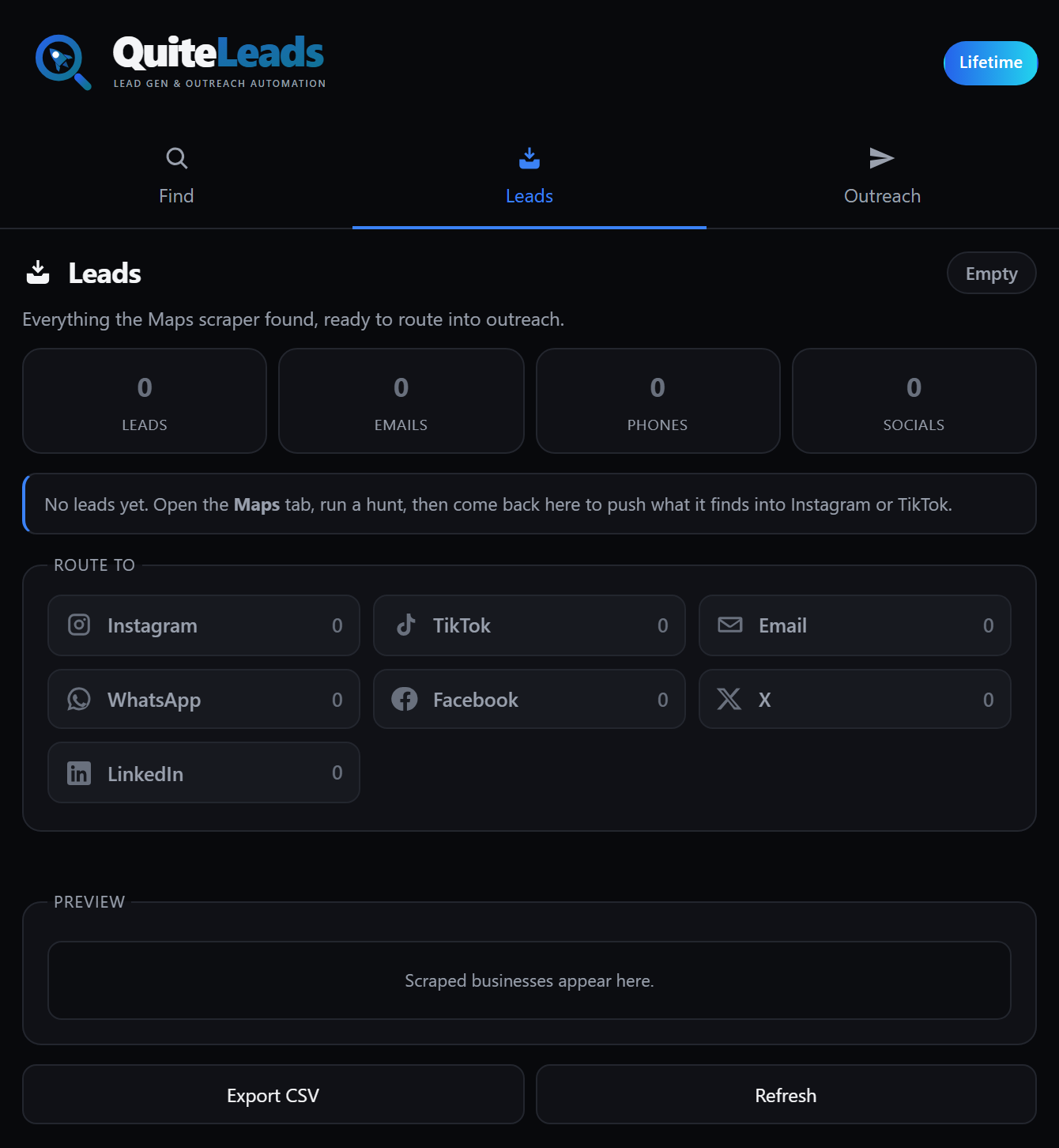
Because Maps is one of ten sources it handles, a business you found on the map and a profile you found on Instagram end up as the same kind of record in the same list. Export to CSV or JSON whenever you want, or message straight from it.
What to measure
Four numbers tell you whether the tool is earning its subscription:
- Contactable rate — the share of collected rows with an email or a social profile. This is the headline number for any Google Maps lead scraper.
- Bounce rate — anything above a few percent means the tool is guessing at addresses.
- Duplicate rate after collection — should be near zero. If it is not, you are doing the deduplication by hand.
- Minutes per booked call — collection plus filtering plus sending, divided by calls. The only number that pays you.
Run one district through two tools, hold the message constant, and compare the first and last of those. It settles the argument in an afternoon.
Frequently asked questions
What is a Google Maps lead scraper?
A tool that reads the businesses in a Google Maps search into a list – name, category, address, phone, website, rating and review count – instead of you opening each listing and copying the fields by hand. The better ones also follow each business’s website to collect the email address and social profiles.
Can a Google Maps lead scraper find email addresses?
Not from the listing, because a Google Business Profile has no email field. Tools that return emails get them by following the website link through to the business’s own site, where the address is usually published in the footer or on the contact page.
How many leads can you get from Google Maps?
A single search caps at roughly 120 results. Thousands come from running many searches – several search terms across several districts – and deduplicating the results, which is why deduplication is a core feature rather than a convenience.
Are free Google Maps lead scrapers worth using?
They are good for proving the workflow suits your niche before you spend anything. Expect a row cap, no email or social enrichment, or a paywalled export. Avoid any free tool that asks for your Google account credentials.
Is a browser extension better than a cloud scraper?
For one person building a pipeline, usually yes. It runs on your own session at human pace, which draws far less attention than datacentre traffic, and it is typically flat-priced rather than billed per row. Cloud tools earn their place when you need whole countries on a schedule.
What should you avoid in a Google Maps lead scraper?
Anything that asks for your Google password, promises a verified email for every single business, claims unlimited results from one search, paywalls your own export, or never mentions how it handles duplicates.
The short version
Choosing a Google Maps lead scraper comes down to one line. Everything collects the listing. Pay for the one that follows the website, keeps the social profiles, and collapses your duplicates. Test it on one district before you commit to a year of it.
Get QuiteLeads and run that test this week, compare the shapes of tool in our guide to the best Google Maps lead generation tool for 2026, or start with the complete guide to Google Maps scraping for lead generation.