How to Find B2B Leads Using Google Maps
B2B leads from Google Maps work when your buyer has premises.
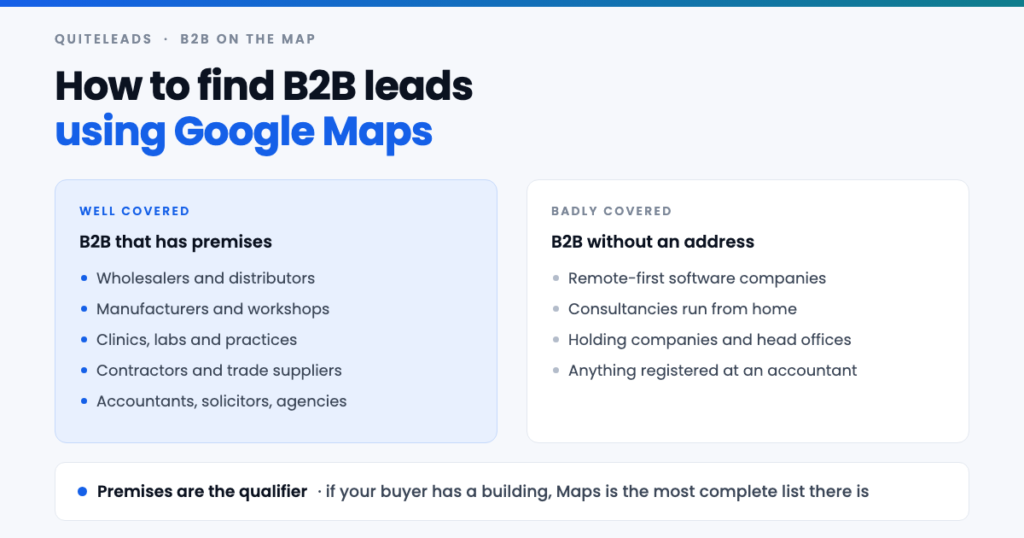
Short answer: Google Maps is a B2B source whenever your buyer has premises — wholesalers, manufacturers, clinics, contractors, agencies, professional practices. Finding B2B leads from Google Maps takes one more hop than local outreach does: the listing proves the company exists, the website gives you the company email, and LinkedIn gives you the person who can actually sign.
Key takeaways
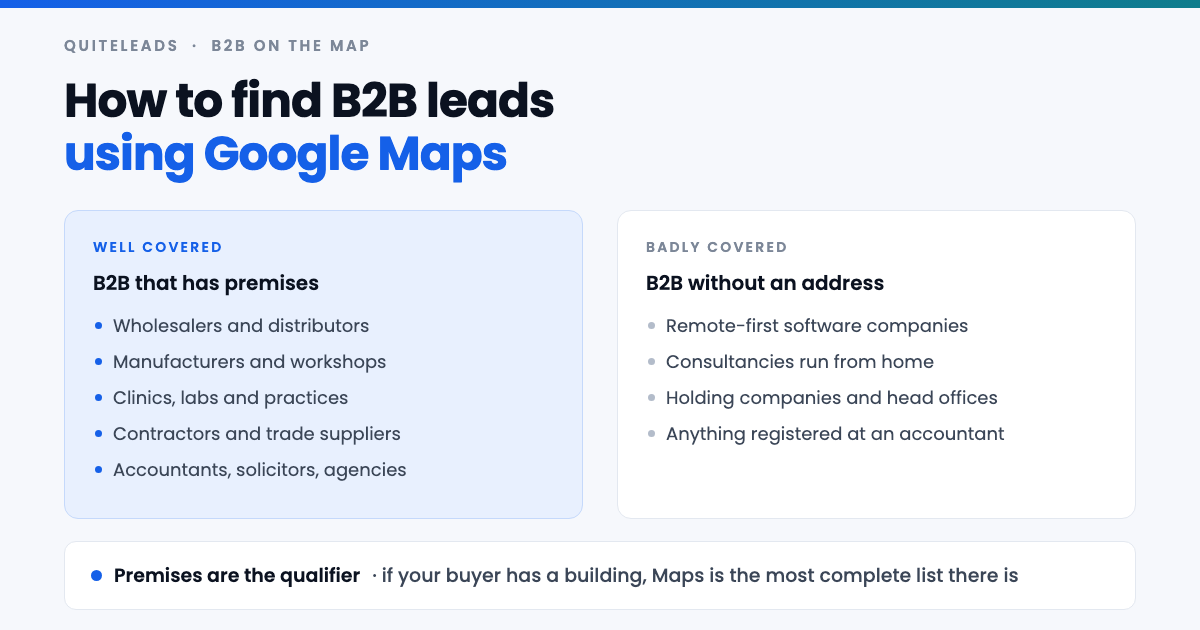
- Premises are the qualifier. If your buyer occupies a building, Maps is close to a complete list of them.
- Maps misses remote-first companies entirely. Software firms and home-based consultancies are not on it.
- B2B needs a third hop. Listing, then website, then LinkedIn for the named decision maker.
- The listing carries firmographics. Premises type, site count and review volume proxy for company size.
- Fewer, better accounts beat volume. B2B deal sizes reward research that consumer outreach cannot afford.
Table of contents
Why Google Maps works for B2B at all
Maps has a reputation as a consumer-facing directory: restaurants, dentists, plumbers. That reputation is why B2B leads from Google Maps are under-collected, and why the source is less picked-over than the databases everyone else is buying from.
The reason it works is unglamorous. Any business that wants deliveries, staff or customers to find its building has a reason to claim a listing, and that includes an enormous amount of B2B: the wholesaler on the industrial estate, the contract manufacturer, the accountancy practice above the shops, the plant hire depot. None of them are consumer businesses, and all of them are on the map.
Two properties make it genuinely good data. It is current, because a business that moves premises updates the listing quickly — customers cannot find them otherwise. And it is geographically exact, which matters enormously if your product has a service radius, a delivery route or an installer network.
Which B2B sectors are on the map
Before building anything, check your market is actually there. These sectors are well covered.
- Wholesale and distribution. Trade counters, cash and carry, builders’ merchants, food service suppliers — all of which need to be findable.
- Manufacturing and workshops. Fabricators, joiners, printers, machine shops. Usually clustered on industrial estates, which makes them easy to collect by geography.
- Healthcare and labs. Clinics, dental groups, veterinary practices, testing labs. High-value, well-listed and buying constantly.
- Trades and contractors. Electrical, plumbing, HVAC, roofing. B2B for anyone selling materials, software, insurance or vehicles.
- Professional services. Accountants, solicitors, surveyors, recruiters, marketing agencies — almost all with an office and a listing.
- Logistics and motor trade. Hauliers, storage, garages, dealerships and plant hire.
If your ICP appears in that list, B2B leads from Google Maps will likely be the most complete and current source you have access to, and by some distance the cheapest.
Where Maps fails for B2B
It is only fair to say where B2B leads from Google Maps are a waste of your afternoon.
- Remote-first software companies. No premises, no listing. If you sell to SaaS teams, Maps has almost nothing for you.
- Home-based consultancies. Many deliberately hide the address, and a hidden address usually means a thin or absent listing.
- Registered-office addresses. A company registered at its accountant’s office appears at the wrong building, which will ruin any territory analysis you try to run.
- Enterprise head offices. The tower is listed; the procurement director is not, and no amount of scraping the map changes that.
The honest test: picture ten of your best customers and ask whether each has a building that a delivery driver could find. If eight do, this works. If two do, use LinkedIn or an industry database and come back to Maps for the field-based segment of your market.
Turning your ICP into search terms
Collecting B2B leads from Google Maps starts with translation. An ICP written for a sales deck — “mid-market manufacturers with complex supply chains” — cannot be typed into Maps. It has to be translated into the words a business uses on its own signage, because that is what Google files it under.
- List ten current customers and find each one on Maps.
- Write down the category Google gives each. This is the single highest-value step, and it usually surprises people — your “supply chain software” customers are filed as “metal fabricator” and “packaging supplier”.
- Search those categories directly. They are exactly what Maps understands.
- Add the trade synonyms. “Sheet metal”, “fabrication”, “steel fabricators”, “welding” all surface overlapping but different sets.
- Add the industrial estates by name, since B2B clusters geographically in a way consumer businesses do not.
That reverse-engineering step is what separates useful B2B leads from Google Maps from a list of whatever the obvious keyword returned.
Reading company size from a listing
Maps publishes no headcount and no revenue, which is the usual objection to B2B leads from Google Maps. But a listing carries decent proxies if you know what to read.
| Signal | What it suggests |
|---|---|
| Multiple listings, same brand | A group with head-office procurement, not an owner-operator |
| Industrial estate address | Real operations, stock and staff on site |
| High-street or serviced office | Smaller team, often owner-managed |
| Photos of a yard, fleet or plant | Capital equipment, so a bigger budget |
| Very few reviews for an old business | Trades B2B only, and does not court the public |
| Weekday-only hours | Almost always B2B rather than consumer |
Weekday-only opening is the most reliable single filter on the list. A business open Monday to Friday, nine to five, is selling to other businesses — which lets you strip consumer-facing companies out of a mixed category in seconds.
From listing to named decision maker
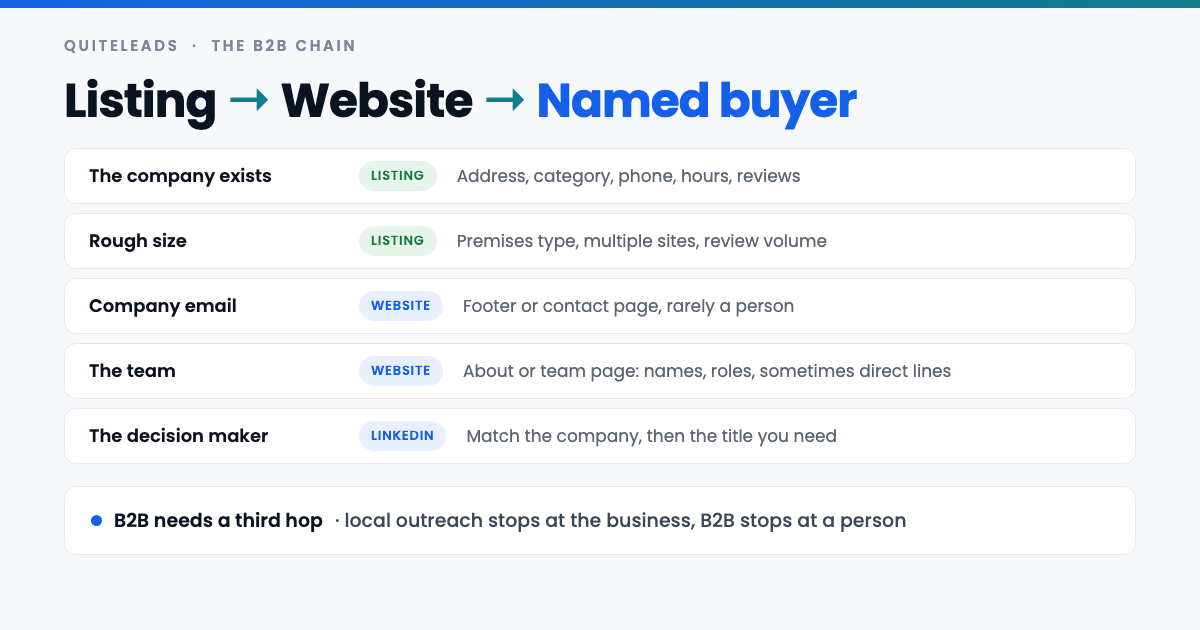
This is the hop that separates B2B leads from Google Maps from local ones. Local outreach can stop at the business, because the owner reads the inbox. B2B usually cannot: a message to enquiries@ at a 40-person manufacturer reaches somebody whose job is to forward things, or not.
So the chain runs three hops. The listing proves the company exists, where it is and roughly how big it is. The website gives you the company email, the social profiles, and — on the about or team page — the names and roles of the people who run it. LinkedIn gives you the specific person for the title you need, and often a second name for when the first ignores you.
The first two hops are the same mechanics as any local list; if you have not built one before, the method is in our guide to extracting contact info and social links from Google Maps. The third hop is what makes it B2B.
The LinkedIn bridge
B2B leads from Google Maps tell you which companies to approach. LinkedIn tells you whom. Neither does both, and trying to make one of them do the other is where most B2B prospecting stalls.
Match on the domain rather than the trading name, since the company page and the Maps listing frequently disagree about punctuation, legal suffixes and old brand names. Once matched, take two names: the title you actually want, and someone adjacent who will still recognise the problem. In a 30-person business the second name is often the one who answers.
Titles vary more than people expect at this size. The person buying your software might be the operations manager, the finance director or the owner’s daughter who does the systems, and the team page on the website usually tells you faster than guessing on LinkedIn does.
Running it account-based
The instinct carried over from local outreach is to collect thousands of B2B leads from Google Maps and send fast. In B2B that is usually the wrong shape, because the deal is worth more and the buying committee is larger.
The account-based version: collect the same way, then rank by fit and take the top fifty. For each of those fifty, spend five minutes — read the site, note a recent job posting, a new depot, an accreditation, a piece of equipment in the photos — and write one message that could only have been sent to them. Fifty of those beats two thousand generic sends comfortably, and it takes about the same afternoon.
The listing itself hands you the ranking criteria. Distance from your depot, premises type, site count, whether they are trading actively. You already collected all of it, and most people ignore it and sort alphabetically instead.
Multi-site companies and franchises
One quirk breaks more lists of B2B leads from Google Maps than anything else: Maps lists premises, not companies. A group with eleven depots appears as eleven rows, and a naive deduplication by domain collapses all eleven into one, throwing away the fact that they have eleven depots — which was the most interesting thing about them.
Handle it deliberately. Keep the rows, add a column for the count of sites sharing a domain, and mark one row as the account. That count is a firmographic you cannot buy cheaply anywhere else, and it is often the strongest qualifier on the sheet.
Franchises need the opposite treatment. Each branch is usually an independent business with its own owner and its own budget, so eleven franchise rows are eleven accounts, not one. Check whether the website is shared and whether the branches have separate phone numbers before deciding.
What to say to a B2B buyer
B2B leads from Google Maps give you openings that a bought database cannot, because they are physical and current.
- Location and radius. “You are twenty minutes from our Sheffield depot” is a genuine commercial argument about delivery cost, not small talk.
- Multiple sites. “Running this across four depots” reframes the whole conversation, and tells them you looked.
- What is visible in the photos. A fleet, a machine, a yard layout. Specific, verifiable and impossible to mass-send.
- The category itself. “Most fabricators we work with have the same problem with quoting” earns a reply because it is about them.
The one rule that does not change: never mention the list. Reference the business, never how you found it. And ask one small question rather than pitching — the job of a first message is a reply, not a sale.
Getting it into the CRM
B2B leads from Google Maps have to live somewhere permanent, because the sales cycle outlasts the spreadsheet. Import badly and you will spend a quarter untangling it.
- Company, then contact. Create the account from the listing, attach people to it afterwards. Doing it the other way round produces duplicate accounts you will never fully merge.
- Use the domain as the key. Trading names are inconsistent; domains are not.
- Keep the source and the date. In six months you will want to know which campaign produced which account, and whether the data is stale.
- Check suppression before import. Existing customers and open opportunities must not receive a cold email from your own company.
That last one is worth a proper check rather than a glance. Cold-emailing a live account is the single most expensive mistake on this page.
How much volume B2B actually needs
Less than people assume, and the arithmetic is worth doing before you collect B2B leads from Google Maps at scale before you collect a country’s worth of rows you will never work.
Take a deal worth £8,000 a year. If a well-researched account-based approach books meetings from something like one in twenty-five well-targeted accounts, and you close a third of those, then a hundred properly worked accounts is a plausible quarter. A hundred accounts is one afternoon of collecting and a fortnight of writing.
Those ratios are illustrative — yours will differ by sector and by how good your offer is. The point stands regardless: the constraint in B2B is research and writing time, not row count, which is exactly the opposite of consumer outreach. Collect broadly if it is cheap to do so, but expect to work a small fraction of it properly rather than all of it badly.
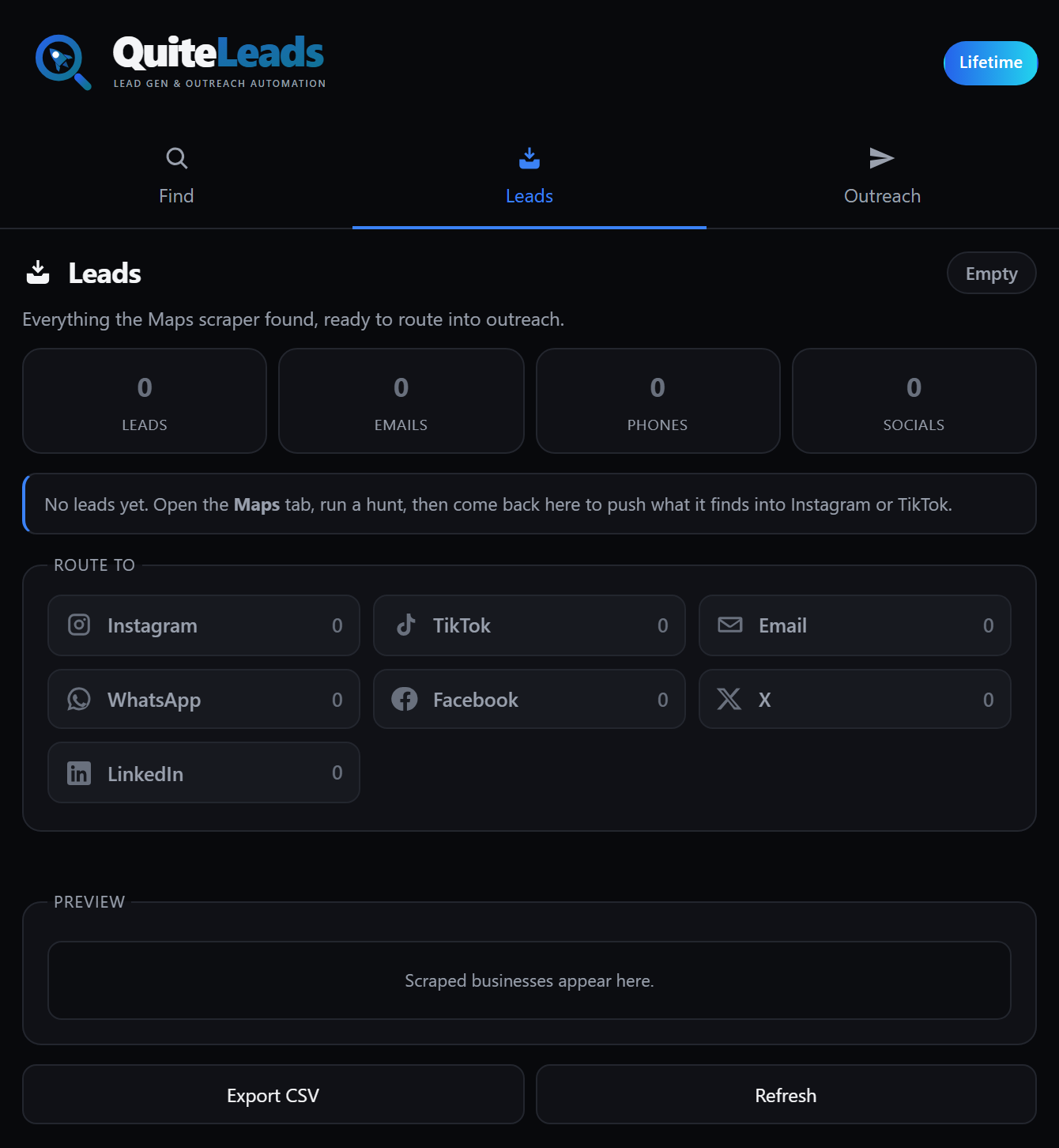
Collecting the first two hops is the mechanical part, and it is what QuiteLeads does: a Chrome extension that works on the Maps page you already have open, follows each company’s website for the email and social profiles, and skips businesses you have already collected so overlapping searches cost you nothing. The third hop — the named buyer — is still yours to do, and it is the part worth your time.
Mistakes specific to B2B
- Treating it like local outreach. Blasting a generic message to
info@across two thousand manufacturers wastes the source and your domain reputation. - Collapsing multi-site groups. You delete the most useful qualifier you had.
- Ignoring opening hours. The cheapest B2B-versus-consumer filter available, and almost nobody uses it.
- Chasing the wrong title. In a 30-person business there is rarely a Head of Anything. Aim at the owner or the operations manager.
- Skipping the website read. Five minutes on the site is what makes the message specific, and specificity is the entire B2B advantage.
- Assuming Maps covers your market. Check ten known customers first. If they are not on it, neither are their peers.
Compliance when the contact is a person
B2B raises the stakes on this, because the third hop turns a company record into a named individual — and a named person’s work email is personal data under UK and EU rules regardless of where you found it.
The company-level data is more straightforward: an address, phone number and website published on a public listing is business contact information, made public deliberately. Google’s position on automated access is in its Terms of Service, and the official structured alternative is the Places API, which returns no emails or social links either.
On sending, the distinction that matters in the UK and EU is between a corporate subscriber and a sole trader or individual, who get stronger protection. In the United States, CAN-SPAM permits cold B2B email with accurate headers, a physical address and a working unsubscribe. Everywhere, say who you are, keep a record of where the data came from, and honour an opt-out the first time. None of this is legal advice, and B2B at volume is worth a solicitor’s hour.
What to measure
Four numbers, and they are different from the consumer ones because the funnel is longer:
- ICP fit rate — the share of collected rows that survive your firmographic filters. Under a third means your search terms are wrong.
- Named-contact rate — the share where you found an actual person. This is the number that decides whether the third hop is working.
- Meetings per hundred accounts — not per message, because in B2B an account may take three touches across two channels.
- Pipeline value per collecting hour — the only measure that justifies the research time B2B demands.
Run fifty accounts end to end before scaling anything. Your sector may disagree with this article, and your numbers outrank my opinion.
Frequently asked questions
Can you find B2B leads on Google Maps?
Yes, whenever your buyer has premises. Wholesalers, manufacturers, clinics, contractors, logistics firms and professional practices are all well listed, because they need staff, deliveries and customers to find the building. Remote-first software companies are not there at all.
How do you find the decision maker from a Google Maps listing?
In three hops. The listing proves the company exists and roughly how big it is, the website gives you the company email and often a team page with names and roles, and LinkedIn gives you the specific person for the title you need. Match on the domain rather than the trading name.
How can you tell company size from a Google Maps listing?
Use proxies: an industrial estate address suggests real operations and stock, multiple listings on one brand suggests a group with head-office buying, photos of a yard or fleet suggest capital equipment, and weekday-only opening hours almost always mean the business sells to other businesses.
Is Google Maps better than LinkedIn for B2B leads?
They answer different questions. Maps tells you which companies exist in a territory and where they are, which LinkedIn is poor at. LinkedIn tells you who works there and what their title is, which Maps cannot do. Used together they are stronger than either alone.
How do you handle companies with several locations?
Keep every row but add a column counting how many sites share a domain, and mark one row as the account. That count is a firmographic worth having. Franchises are the exception: each branch is usually an independent business with its own owner and budget, so treat them as separate accounts.
How many B2B leads do you actually need?
Fewer than consumer outreach. With a four-figure annual deal value, a hundred properly researched accounts is a plausible quarter’s pipeline, and that is one afternoon of collecting and a fortnight of writing. The constraint in B2B is research time, not row count.
The short version
That is how to find B2B leads from Google Maps in one line. If your buyer has a building, Maps is the most complete and current list of them you can get. Translate your ICP into the categories Google files them under, read size from the listing, and add a third hop to LinkedIn for the name. Then work fifty accounts properly instead of two thousand badly.
Get QuiteLeads and build your first territory list this week, or read the complete guide to Google Maps scraping.