Google Maps Business Leads: Scrape Local Leads Fast
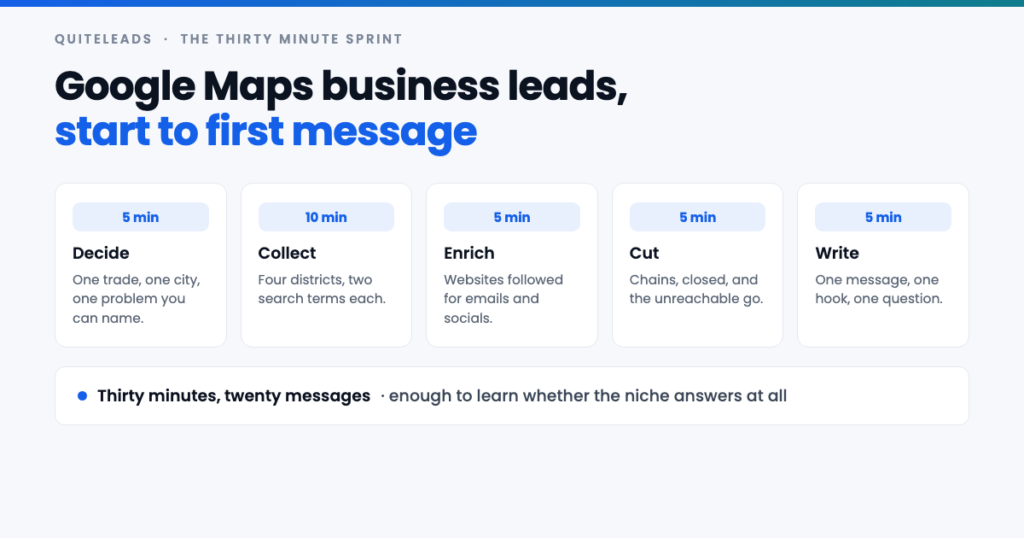
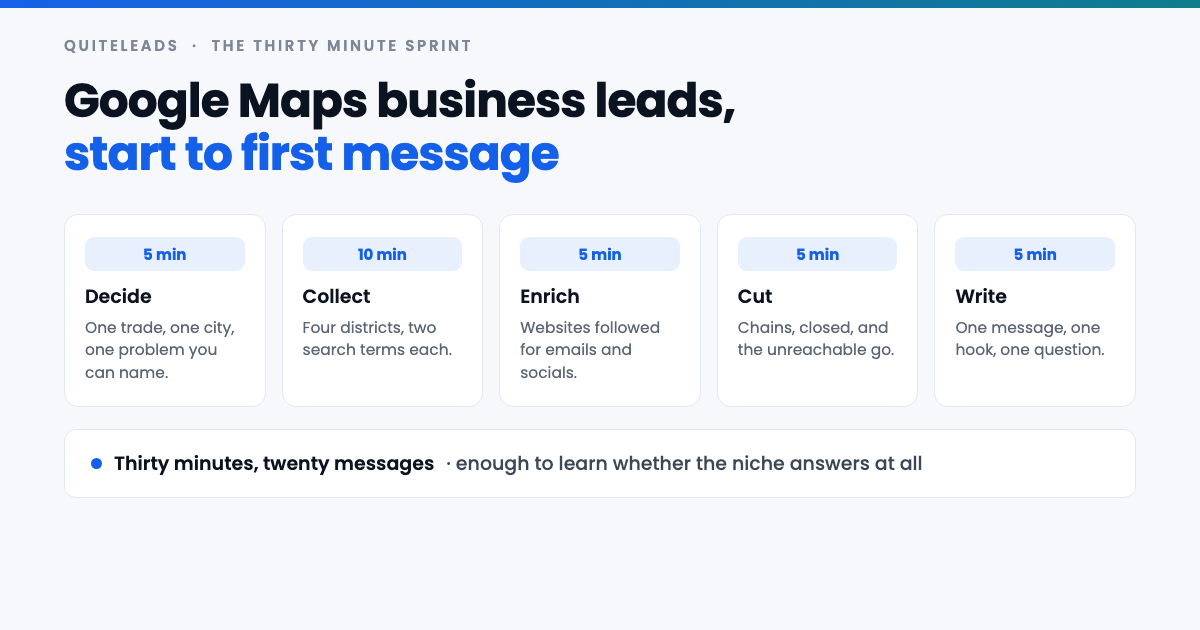
Google Maps business leads, collected and messaged inside half an hour.
Short answer: you can go from an empty spreadsheet to twenty sent messages in half an hour. Collecting Google Maps business leads quickly is a scoping decision, not a corner-cutting one — you narrow the list to four districts and two search terms, and you refuse to skip deduplication or email checking, because those two are what make speed cost you nothing.
Key takeaways
- Thirty minutes is enough to test a niche. Twenty messages tells you whether anyone answers.
- Narrow the list, never the care. Four districts is fine; guessed emails are not.
- Decide the hook before you collect. Otherwise you finish with a list and nothing to say.
- Two things are never optional: deduplication, and checking the email is real.
- Scale only after a reply. A fast test that fails saved you a week.
Table of contents
The thirty minute sprint
Most lists of Google Maps business leads die of ambition. Someone decides to collect every business in the county, spends two evenings on it, and never sends a message because the spreadsheet became the project. The fix is to make the first run so small that finishing it is trivial.
Thirty minutes buys you roughly eighty Google Maps business leads, of which perhaps twenty are worth writing to today. That is not a pipeline. It is an experiment that tells you whether the niche replies at all — and if it does not, you have lost half an hour rather than a week.
Set a timer. The point of the timing is not speed for its own sake; it is that a hard stop forces the scoping decisions that people otherwise avoid, and those decisions are the entire method.
Minutes 0 to 5: decide
Five minutes, three decisions, written down before you collect a single one of your Google Maps business leads. Skipping this is why most fast runs produce a list nobody messages.
- One trade. Not “local businesses” — barbers, or dental practices, or independent gyms. One category you can say something specific about.
- One city, four districts. Name them now. Guessing at areas while the timer runs wastes the collecting window.
- One problem you can name. The sentence you will open with. If you cannot write it in five minutes, you are not ready to collect — you are ready to think about your offer.
That third one does the most work. Deciding the hook before the list means you collect against a message rather than collecting first and hunting for something to say, which is slower and produces worse messages.
Minutes 5 to 15: collect
Ten minutes, eight queries: two search terms across your four districts. This is where the Google Maps business leads actually arrive. Frame the map on one district, zoom until that area fills the screen, run both terms, then move on. That framing step is what stops all four queries returning the same city-centre businesses.
Ten minutes is roughly enough for eighty to a hundred Google Maps business leads when the collecting is automated, and roughly five listings when it is not — because copying a name, phone, address and website by hand takes two minutes each. That gap is the whole argument for tooling, and you will feel it inside the first three listings.
Do not chase completeness here. You are not trying to own the city; you are trying to find twenty businesses to write to. If a query ends naturally at forty results, that is a finished district rather than a failure.
Minutes 15 to 20: enrich
Raw Google Maps business leads are not yet contactable. A Maps listing has no email field and no social handles. Everything you actually need to send a message lives on the business’s own website — the email in the footer or on the contact page, the Instagram and Facebook links in the icon row.
Five minutes covers this only if the websites are followed automatically. By hand it is a minute per business, so a hundred rows is an hour and a half, and this is the stage where a thirty-minute plan quietly becomes an evening. The full method, including what to do with listings that have no website at all, is in our guide to extracting contact info and social links from Google Maps.
Whatever you do, do not fill the gaps by guessing. Inventing info@ for a domain that does not use it produces bounces, and enough bounces damages your sending domain for every real prospect on the list — a cost that lands weeks after the half hour you saved.
Minutes 20 to 25: cut
Five minutes of deleting Google Maps business leads, and it is the highest-value five minutes in the sprint. Four passes, in this order.
- Drop anything with no email and no social profile. A name and an address is a fact, not a lead.
- Drop the chains. Every branch of a franchise routes to one head office that will not read you, and they clog a district list badly.
- Drop the permanently closed. Maps flags them, and messaging one is the fastest way to look automated.
- Sort by review count and take the top twenty. Reviews are the closest thing to proof that a business is trading and taking customers.
You will bin more than half of what you collected. That is correct and expected — the collecting was cheap precisely so that the cutting could be ruthless.
Minutes 25 to 30: write and send
One message, one hook, one question. You wrote the hook in the first five minutes, so this stage is mechanical: personalise the opening clause per business, keep everything else constant, and send.
Channel order matters more than the wording. Email first for anything with a price tag or a contract, because it is checked on purpose and leaves a thread. Social first for salons, gyms, restaurants and trades, where the owner runs the account themselves and reads messages on their phone. Phone last, unless you are genuinely good on the phone, in which case it is first and it beats everything.
Twenty messages in five minutes is about fifteen seconds each. That is enough to swap one clause, and it is not enough to write anything long — which is the right constraint. A short specific message outperforms a long one almost everywhere.
What you can skip and what you cannot
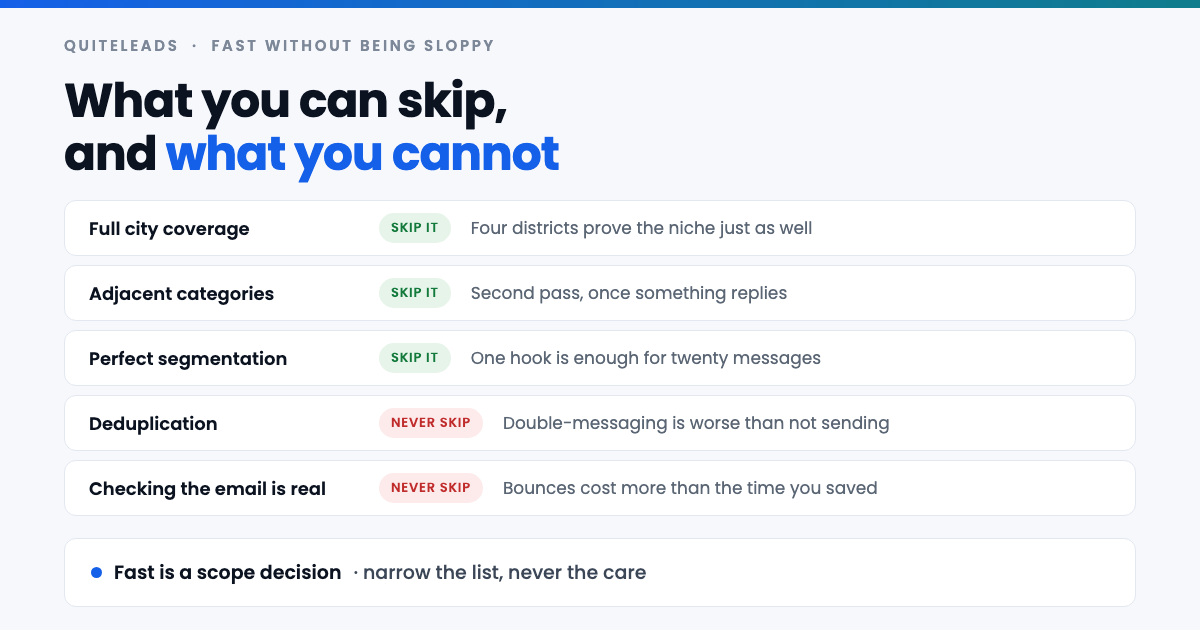
Three things are safe to drop when you need Google Maps business leads in a hurry. Full city coverage: four districts prove the niche as well as forty do. Adjacent categories: those are a second pass, once something replies. Careful segmentation: one hook is plenty for twenty messages.
Two things are never safe to drop. Deduplication, because messaging the same business twice from two overlapping queries tells them immediately that you are automated — worse than not sending at all. And checking the email is real, because bounces are the one mistake here that costs you more than the time you saved.
The distinction is simple enough to hold in your head: skipping scope is free, skipping care is borrowed at a bad rate.
Three openers you can use today
Each of these reads a fact off the listing. None of them mention where you got the details, which is the one rule that never bends.
- The gap. “You’re one of the few barbers in Chorlton without online booking — is that deliberate, or just never got round to it?” Works because it is specific, checkable and asks rather than tells.
- The proof. “4.9 across 40 reviews and you’re still not on the first page for ‘barber Chorlton’ — want me to show you why?” Works because the compliment is true and the problem is theirs.
- The local. “We work with three shops on the same road — worth a ten-minute call?” Works because proximity is credible and the ask is small.
Only use the third if it is actually true. The reason these openers work on Google Maps business leads is that they are verifiable, and one invented claim burns the credibility of every message you send afterwards.
The one hour version
If the thirty-minute run produced a reply, the hour version is the natural next step. It is the same sequence with three things added rather than a different method.
- More districts and more search terms. Eight areas and four terms instead of four and two, which is where the list stops being a sample.
- Two segments instead of one. Split by review count and write differently to the twelve-review independents and the two-hundred-review establishments, because they do not have the same problem.
- A follow-up scheduled. Most replies arrive on the second or third message, and a first send with no follow-up planned throws away most of the value of the list.
An hour of Google Maps business leads collected this way is realistically two to three hundred rows and sixty to eighty messages — which is a working week of pipeline for most one-person businesses.
The one day version
A full day of Google Maps business leads is a different exercise, and it should only happen after a fast run has proved the niche answers. At that point you are not testing, you are building coverage.
The day version means the full grid: every district crossed with every search term your market uses, plus the adjacent categories that fit the same offer. It also means the parts the sprint deliberately skipped — proper segmentation, several message variants, and a follow-up sequence written in advance. The method for going wide without hitting the per-search cap is in our guide to scraping unlimited leads from Google Maps.
Split the day: collect in the morning, clean before lunch, and write in the afternoon. Do not send everything the same day. A few thousand rows collected on Monday and sent slowly across the fortnight beats the same list fired off in one evening, both for replies and for staying out of spam folders.
Batching so it stays fast
The reason the sprint works is that it never switches modes. Collecting, cleaning and writing use different parts of your attention, and interleaving them is what turns thirty minutes into ninety.
- Never open a listing to “just check” while collecting. That is the cleaning stage, and it will eat the collecting window.
- Never edit the message while sending. If a better line occurs to you, note it and use it on the next batch.
- Keep one sheet, not one per run. Duplicates across weeks are as damaging as duplicates within a run, and a single sheet is what makes them visible.
- Track what you have already sent. A “contacted” column with a date is the whole system; it does not need to be a CRM yet.
That is also the argument for collecting Google Maps business leads with something that skips businesses you already have. Deduplication done for you is what makes a weekly half-hour repeatable, rather than a chore that gets slower every time you run it.
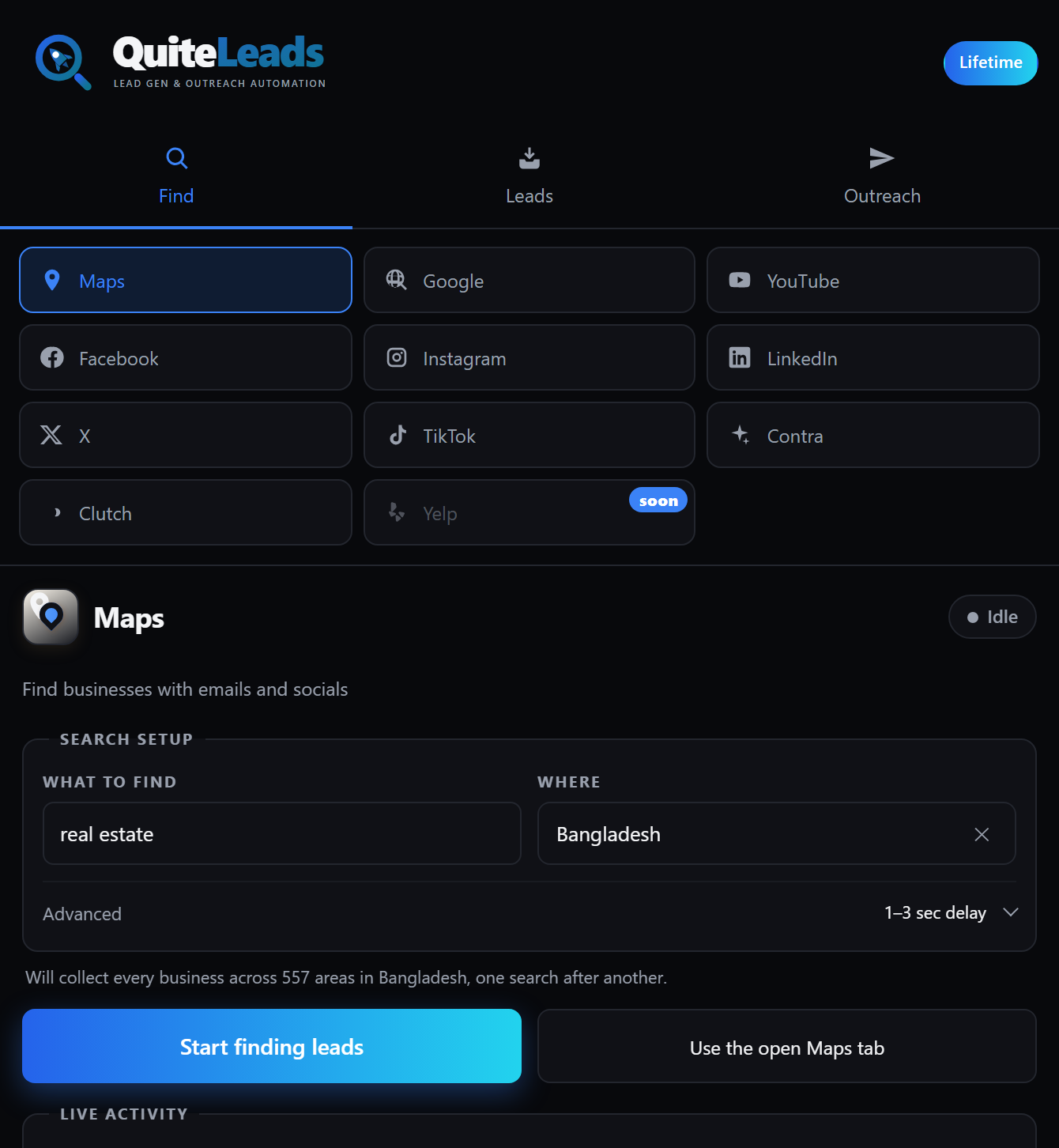
That is the part QuiteLeads handles: a Chrome extension that works on the Maps page you already have open, follows each business’s website for emails and social profiles, and skips anything you have collected before. Export to CSV or JSON, or message straight from the list.
When fast is the wrong call
Collecting Google Maps business leads quickly suits testing and volume. It does not suit everything, and it is worth knowing which side of the line you are on before you start the timer.
- High-value B2B. If a deal is worth five figures, fifty researched accounts beat five hundred fast ones — a different method, covered in our guide to finding B2B leads using Google Maps.
- Small or tight-knit markets. If there are only sixty businesses in your category nationally, a clumsy fast run burns a market you cannot rebuild.
- Regulated sectors. Healthcare, finance and legal deserve slower, more careful contact, and often a different channel entirely.
- A brand-new sending domain. Warm it up over weeks. Twenty messages a day from a fresh domain is already ambitious.
Mistakes that make fast expensive
- Collecting without a message ready. You end the half hour with a spreadsheet and no reason to open it again.
- Searching the whole city. One broad query returns the same well-known businesses everyone else already contacted.
- Sending to every row you collected. The cutting stage is the point, not an optional tidy-up.
- Guessing emails to hit twenty. Send eleven real ones instead. Bounces cost more than the nine you wanted.
- Doing one sprint and judging the niche. Twenty messages is a signal, not a verdict. Run it three times before concluding anything.
- Never following up. The single most expensive habit on this list, and the easiest to fix.
Staying compliant at speed
Working quickly does not lower the standard, and the compliance steps genuinely cost seconds rather than minutes.
A business address, phone number and website published on a public listing is business contact information, put there so customers can make contact. Google’s stance on automated access is in its Terms of Service. Sending is governed separately: UK and EU rules treat a corporate subscriber differently from a sole trader or individual, while CAN-SPAM in the United States permits cold business email with accurate headers, a physical address and a working unsubscribe link.
In practice that is three habits, none of which slow a sprint down: say who you are and why you are writing, include a way to opt out, and honour it the first time you are asked. None of this is legal advice, and higher volumes into regulated markets deserve a solicitor rather than a blog post.
What to measure
Four numbers per batch of Google Maps business leads, recorded in a row at the bottom of the sheet. They take a minute and they turn a habit into a decision.
- Rows collected per ten minutes — your actual collecting rate, which is the number that tells you whether tooling is earning its keep.
- Contactable rate — the share with an email or a social profile. Under half means the niche is thinly online and phone should lead.
- Reply rate per twenty sent — the fastest read on whether the hook works.
- Bounce rate — above a few percent means somebody guessed an address. Fix it before the next run.
Three sprints in three niches, same message shape, and the numbers tell you where to spend the following month. Your market may disagree with this article, and your numbers outrank my opinion.
Frequently asked questions
How fast can you collect Google Maps business leads?
About eighty rows in ten minutes when the collecting and the website lookups are automated, or roughly five listings in the same time by hand, since copying a name, phone, address and website manually takes about two minutes each. Half an hour end to end is enough for twenty sent messages.
What is the fastest way to get local business leads?
Scope it small rather than cutting corners: one trade, one city, four districts, two search terms. Collect for ten minutes, follow the websites for emails and socials, delete the chains and the unreachable, then message the top twenty by review count.
What should you never skip when working fast?
Deduplication and checking that each email is real. Messaging the same business twice from overlapping searches tells them you are automated, and guessed addresses produce bounces that damage your sending domain for every genuine prospect on the list.
How many Google Maps business leads do you need to test a niche?
Twenty messages is enough to see whether anyone replies at all. That is a signal rather than a verdict – run the same sprint three times before concluding a niche does not work, because a single batch of twenty is a small sample.
Should you email or message local businesses on social media?
Email first for anything with a price tag or a contract, because it is checked deliberately and leaves a thread. Social first for salons, gyms, restaurants and trades, where the owner runs the account themselves and reads messages on their phone.
When is a fast approach the wrong one?
High-value B2B, small tight-knit markets, regulated sectors like healthcare and finance, and any brand-new sending domain. In those cases fewer, better-researched contacts beat volume, and a clumsy fast run can burn a market you cannot rebuild.
The short version
That is how to collect Google Maps business leads fast, in one line. Decide the hook first, collect for ten minutes, enrich, cut hard, and send twenty. Narrow the scope as much as you like; never narrow the care. If twenty messages produce a reply, scale it. If they do not, you spent half an hour finding that out.
Get QuiteLeads and run your first sprint today, or read the complete guide to Google Maps scraping.