How to Generate Leads from Google Maps in 2026
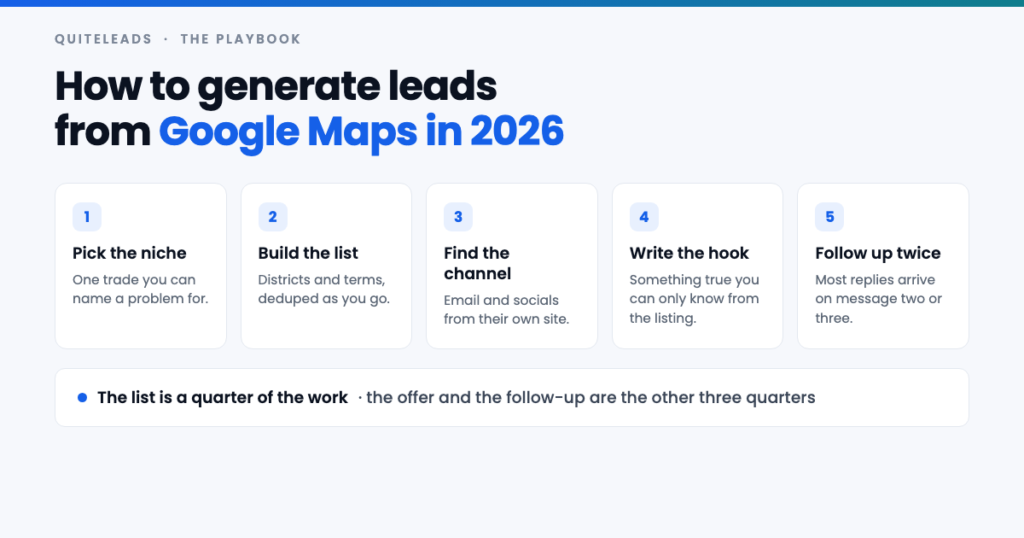
Generate leads from Google Maps in five stages, only one of which is collecting.
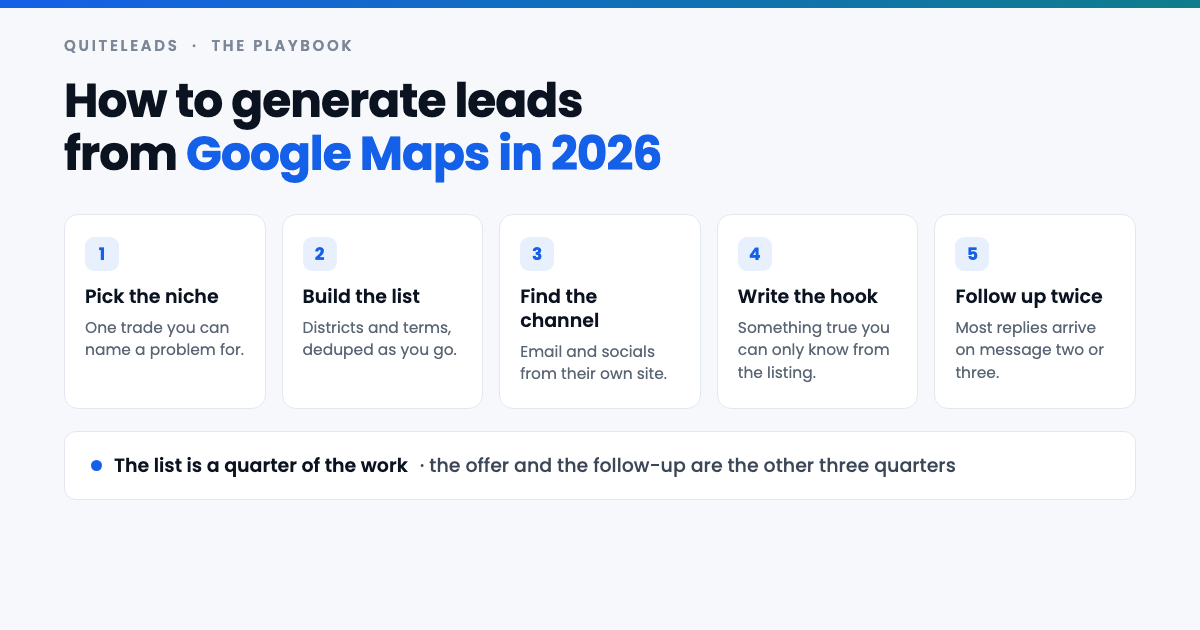
Short answer: to generate leads from Google Maps you pick one trade you can name a specific problem for, build a list across several districts and search terms, follow each business’s website for the email and social profiles, and open with something true that you could only know by looking at their listing. The collecting is a tenth of the work. The hook and the follow-up are the rest.
Key takeaways
- Niche first, list second. You cannot generate leads from Google Maps with a vague offer, however good the list.
- Every listing carries a hook. Missing website, review count, district, booking link.
- Email for anything with a price tag, social for the trades where the owner runs the account.
- Most replies arrive on message two or three. One-shot outreach wastes the list.
- You need far fewer leads than you think — a few hundred good ones beats ten thousand rows.
Table of contents
Why Google Maps is still the best local source
Before you generate leads from Google Maps, it helps to know why the source is worth the effort. Every other lead source asks you to infer something. A LinkedIn profile tells you what someone says they do. An Instagram bio tells you how they’d like to be seen. A Google Maps listing tells you that a business exists at a specific address, takes customers, and has been reviewed by people who went there.
That verification is why you can generate leads from Google Maps with far less guesswork than anywhere else. The listing is maintained because the business depends on it being right — wrong opening hours cost them customers today, so the data stays current in a way that no scraped directory ever does.
It is also the only source that is genuinely exhaustive for local trades. A plumber may have no LinkedIn, a dormant Facebook page and no Instagram at all, but they will be on Maps, because that is where their customers find them. If you sell to businesses that serve a physical area, this is the complete list.
Step one: pick a niche you can name a problem for
Almost everyone who sets out to generate leads from Google Maps starts at step two, builds a list of four thousand businesses, sends a message that could have gone to any of them, and concludes cold outreach does not work.
The test for a good niche is whether you can finish this sentence with something specific: “Most [trade] in [area] lose money because [problem], and I fix it by [thing].” If the problem is generic — “they need more customers” — the message will be generic too, and you will need thousands of sends to get anywhere.
- Narrow beats broad. “Independent dental practices with fewer than three chairs” is a niche. “Healthcare” is a category.
- Pick something you can see from the outside. A problem you can spot on their listing or website is a problem you can open with.
- Start where you have a result. One case study in one trade is worth more than a clever pitch in five.
- Check the money is there. Some trades genuinely cannot pay your price, and no amount of outreach changes that.
Step two: build the list
Now the collecting. One Google Maps search stops at roughly 120 results, so a single query is never a market — it is the top slice of one, ranked by Google’s idea of relevance, with the smaller independents you probably want cut off the bottom.
You get past that by running many small searches instead of one big one: split the city into named districts, frame the map on each in turn, and run every search term your market uses against it — “dentist”, “dental clinic”, “orthodontist”, and so on. Each query gets its own cap. The full method, including how to deduplicate the overlap, is in our guide to scraping unlimited leads from Google Maps.
Resist the urge to collect everything before you have sent anything. Do one district, work it properly, and let the reply rate tell you whether the whole city is worth the afternoon.
Step three: find the channel
You cannot generate leads from Google Maps without a way to reach them, and the listing gives you a phone number and a website, and that is all. There is no email field on a Google Business Profile and nowhere to put an Instagram handle, so a raw list is a list of phone numbers.
The website is the bridge. A business publishes its contact email in the footer or on the contact page, and its social profiles in the icon row that nearly every small-business site carries. Following that link for every row is what turns a map pin into something you can write to — the mechanics are covered in extracting contact info and social links from Google Maps.
Never invent an address to fill a gap. Guessing info@ for a domain that does not use it produces bounces, and enough bounces damage delivery for every real prospect on your list. Take what is published, leave the rest blank, and work those rows by phone or social instead.
Five hooks hiding in every listing
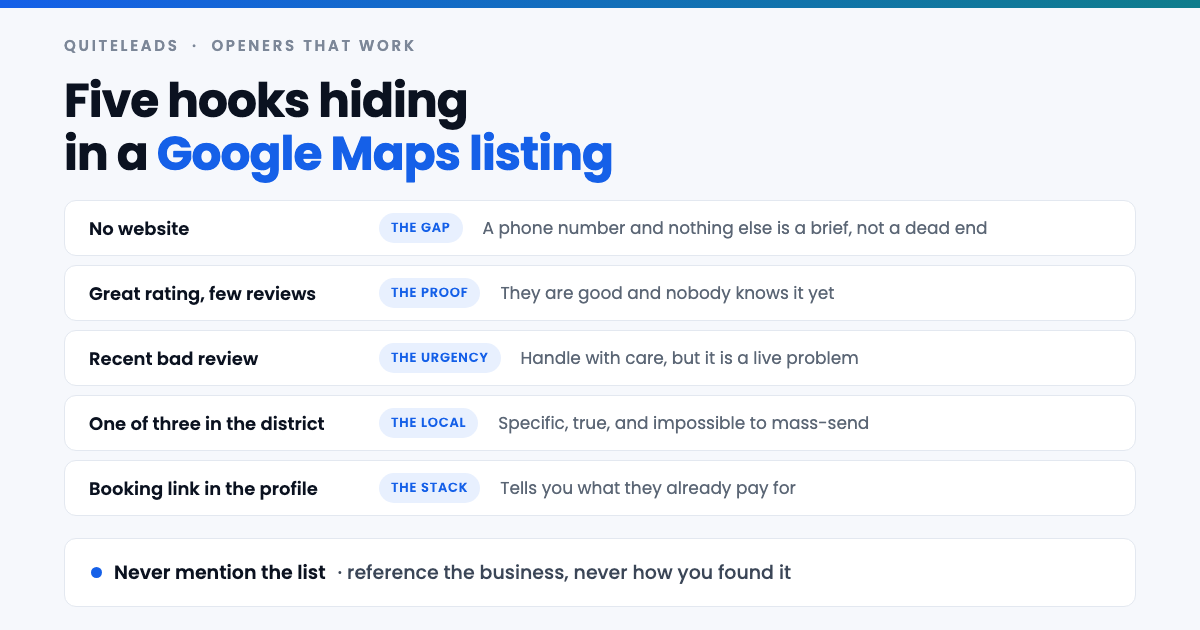
This is the part that makes the difference when you generate leads from Google Maps, and it is free. The listing you already collected contains several facts that let you write an opening line nobody else could send.
- No website. If you sell websites, SEO or booking systems, this is not a thin row — it is the most qualified lead on the sheet, and the problem writes your first line for you.
- A great rating with very few reviews. They are good and nobody knows it. That is a marketing problem you can name out loud, and it is flattering rather than critical.
- A recent bad review. Handle with real care — nobody wants their worst week quoted back at them — but it is a live problem and sometimes the honest thing to mention.
- Their position in the district. “One of only three studios in Chorlton doing X” is specific, true, and obviously not mass-sent.
- A booking or ordering link. It tells you what they already pay for, which tells you both their budget and whether you are a replacement or an addition.
Sort your list by hook rather than alphabetically. Twenty messages that each name a real, visible problem will beat two hundred that open with “I came across your business”.
Step four: writing the first message
Short, specific, one question. Everything you did to generate leads from Google Maps comes down to these four lines. The goal of the first message is a reply, not a sale, and every extra sentence lowers the odds of getting one.
- Open with the hook, not with yourself. The first line should be about them and impossible to copy-paste to anyone else.
- One sentence on what you do, framed as the problem you fix rather than the service you sell.
- One small question. “Is that something you handle in-house?” beats “do you have 20 minutes on Thursday?”
- No attachments, no deck, no calendar link in message one. All three read as a pitch before a conversation.
- Never mention how you found them. “I found you on Google Maps” adds nothing and makes the message feel automated.
The last one is worth dwelling on. When you generate leads from Google Maps the temptation is to explain the research — do not. Reference the fact, not the method. “You’re the only clinic in Moseley offering same-day appointments” is a compliment. “I scraped the local dentist listings” is a confession.
Step five: the follow-up sequence
This is the step most people skip, and it is where most of the replies live when you generate leads from Google Maps. A small business owner reads your email between two jobs, thinks “maybe”, and gets on with their day. That is not a no; it is a not-now that nobody wrote down.
- Message one: the hook and the question. Short.
- Message two, three or four days later: one piece of proof. A result from a similar business in a similar area. Two sentences.
- Message three, a week after that: the polite close. “Happy to leave it — should I check back in a few months?” A surprising number of replies come from exactly this one.
- Then stop. Three is plenty. A fourth chase turns a maybe into a never, and it is how you end up marked as spam.
Switching channel between messages works well — email first, then a DM to the Instagram account you collected from their website. Different inbox, different moment, same person. It is one of the quiet advantages of collecting both.
Which channel to use first
- Email first for anything with a proposal, a contract or a price above a few hundred. It is the channel a business checks deliberately and it leaves a thread you can follow up in.
- Social first for salons, restaurants, gyms, tattoo studios and most trades — the owner runs the account themselves, reads it on their phone, and replies in a tone that email never gets.
- Phone when the list is small and local and you are good at it. Highest effort per contact, and comfortably the highest hit rate.
Match the register to the channel. An email that reads like a DM looks unserious; a DM that reads like an email gets ignored. If you generate leads from Google Maps and then send one identical message to every channel, you have thrown away the advantage of having collected them.
A worked example: web design for tradespeople
Here is what it looks like to generate leads from Google Maps for one real offer. Say you build websites for trades and you want work in one city. The niche sentence writes itself: most electricians here have no website, so every job comes through word of mouth and they are invisible to anyone searching at ten at night.
The list is “electrician”, “electrical contractor”, “emergency electrician” and “electrical installation”, run across eight districts. Call it six or seven hundred businesses after deduplication. Then the filter that matters: keep only the rows with no website. That might be a couple of hundred, and every one of them is a prospect whose problem you can name in the first line without any research at all.
Those rows have no email either, so the channel is the phone or the Facebook page some of them listed as their website. That is fine — it is a smaller, harder list than a spreadsheet of four thousand, and it will produce more work, because you are the only person writing to them about the exact thing they already know is missing.
The same exercise inverts neatly. If you sell SEO rather than websites, you want the opposite filter: businesses that have a site and reviews but sit below their competitors. The list is the same collection; the segment is different.
How many leads you actually need
Worth doing this sum before you spend three days collecting, because the answer is usually humbling in a useful way.
Say a well-targeted first message with a real hook gets a 10% reply rate, a third of those replies turn into a conversation, and a third of conversations become a client. That is roughly one client per hundred messages. If your service is worth £2,000, then two hundred good messages is a £4,000 month, and two hundred messages is one district — not one city, and nowhere near ten thousand rows.
Those rates are illustrative rather than promised; a weak offer will halve them and a strong one in a hungry niche can beat them. But the shape holds, and the conclusion is the important part: when you generate leads from Google Maps, the constraint is almost never the number of businesses available. It is how many messages you can write that are actually worth reading.
What changed in 2026
The mechanics of how you generate leads from Google Maps have barely moved. What has changed is the inbox on the other end.
- Generic AI-written outreach is everywhere, which has pushed reply rates down for anything that reads like a template — and quietly raised them for anything that obviously is not.
- Email providers are stricter. Authentication and low complaint rates matter more than volume ever did, and bounces from guessed addresses cost more than they used to.
- Social DMs have become the better channel for local trades, because that is where owners actually are during the working day.
- Local search behaviour keeps shifting toward AI answers and Maps itself, which makes a business’s listing more valuable to them — and a well-informed message about it more welcome.
The net effect is that volume has got weaker and specificity has got stronger. That is good news if you are willing to segment, and bad news if your plan was to send four thousand identical emails.
Mistakes that waste a good list
- Collecting before deciding the offer. The list should be built to fit the message, not the other way round.
- Messaging chains. Forty branches of a franchise is one head office that will not read you.
- Sending in the order collected instead of by hook, so your best hours go to your worst prospects.
- One message and out. Skipping the follow-up throws away most of the value of the list you just built.
- Guessing emails to fill blank cells. Bounces are expensive in a way that empty cells are not.
- Never refreshing. Local businesses close and change hands constantly; a list older than a quarter needs another pass.
Staying on the right side of the rules
Two rules govern this. Collecting public business contact details and marketing to them are governed separately, and the second is where the penalties sit.
UK and EU rules treat email to a corporate subscriber differently from email to a sole trader or an individual, and every message must identify you and offer a way to opt out. In the United States, CAN-SPAM permits cold email to businesses but requires accurate headers, a real postal address and a working unsubscribe link. A named owner’s personal address brings GDPR into play whatever the source. Google’s own position on automated access to its services is set out in its Terms of Service.
None of that is legal advice. The practical version: say who you are, keep the volumes sane, honour an opt-out the first time you are asked, and delete anyone who tells you to. If you are sending at scale into a regulated market, get proper advice rather than trusting a blog post.
What to measure
Four numbers tell you whether your attempt to generate leads from Google Maps is working, tracked per segment rather than in aggregate, because the aggregate hides the thing you need to know:
- Reply rate by hook. Which opening line actually works. This is the most valuable number you will collect.
- Reply rate by channel. Email and social will differ by a lot, and the answer decides next month’s plan.
- Replies by message number. If message three is producing a third of your replies, that is an argument for sending it.
- Minutes per booked call. Collecting plus filtering plus writing, divided by calls. The only number that pays you.
Run one district, hold the offer constant, and read the first and the last of those after a fortnight. Your niche may disagree with this article, and your numbers outrank my opinion.
Frequently asked questions
How do you generate leads from Google Maps?
Pick one trade you can name a specific problem for, build a list across several districts and search terms, follow each business’s website for the email and social profiles, then open with a fact from their listing. Collecting is the smallest part of the work.
Is Google Maps good for lead generation in 2026?
For local businesses it is the strongest source available, because a listing proves the business exists, takes customers and keeps its details current. It is also exhaustive for trades that have no LinkedIn or Instagram presence at all.
What is the best opening line for a Google Maps lead?
Something true that you could only know from their listing: no website, a strong rating with few reviews, their position in a specific district, or the booking tool they already use. Never mention that you found them on Google Maps.
How many messages should you send before giving up?
Three. The hook, one piece of proof a few days later, and a polite close a week after that. A fourth chase turns a maybe into a never and is how you get marked as spam.
Should you email or DM a Google Maps lead?
Email first for anything with a proposal or a price tag, because it is checked deliberately and leaves a thread. Social first for salons, restaurants, gyms and trades, where the owner runs the account and reads messages on their phone.
How many Google Maps leads do you need to get a client?
As a rough shape, a well-targeted message with a real hook might reply at around 10%, with a third of replies becoming conversations and a third of those becoming clients – roughly one client per hundred messages. That is one district, not one city.
The short version
That is how to generate leads from Google Maps in 2026, in one line. Pick a niche you can name a problem for, build the list across districts and terms, follow the website for the channel, open with a fact from the listing, and follow up twice. The list is the easy part, and the only part a tool can do for you.
The collecting itself is what QuiteLeads handles — a Chrome extension that works on the Maps page you already have open, follows each business’s website for the email and social profiles, and skips anything you have collected before. Get QuiteLeads and run your first district this week. If you want a list today, use the thirty-minute local leads sprint; if your buyer has premises rather than a shopfront, use the B2B method. The mechanics behind all of it are in the complete guide to Google Maps scraping for lead generation.