Google Maps Scraping for Lead Generation: Complete Guide
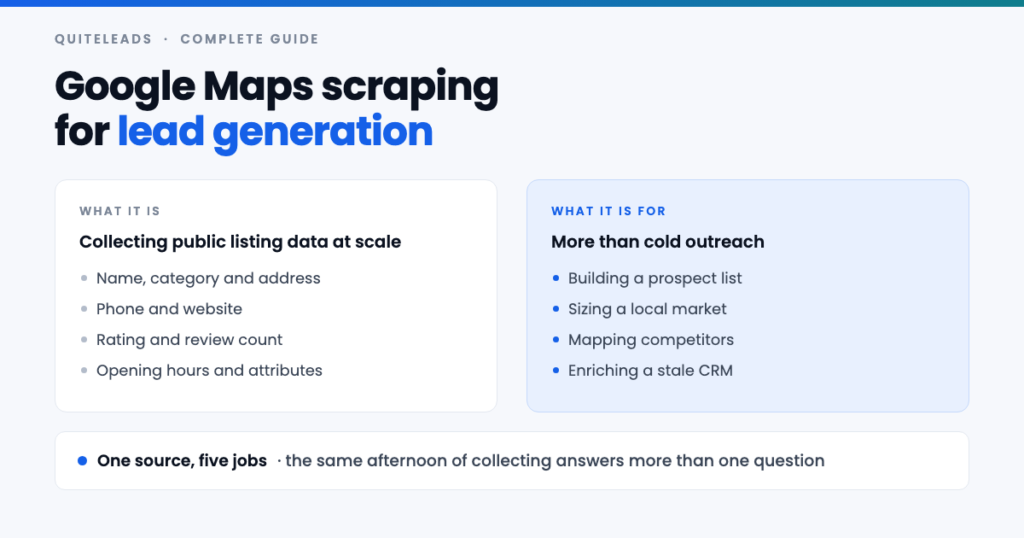
Google Maps scraping collects one dataset that answers several different questions.
Short answer: Google Maps scraping is collecting the public details of businesses on Maps — name, category, address, phone, website, rating — into a list you can work, instead of opening listings one at a time. For lead generation it only becomes useful at the second step, where you follow each business’s website to get the email address and social profiles that Maps itself never publishes. This guide covers the whole thing: the data, the methods, the workflow, the limits and the law.
Key takeaways
- Google Maps scraping gets you six useful fields and no email or social handles anywhere.
- One search caps at roughly 120 results. Volume comes from many searches, not one.
- Enrichment is the step that matters. Without it you have a phone book.
- A browser extension is the right shape of tool for one person building a pipeline.
- Collecting and sending are governed by different rules. The sending side is where the penalties live.
Table of contents
What Google Maps scraping is
Google Maps scraping means reading the businesses shown in a Maps search into structured rows, rather than opening each listing and copying the fields by hand. The word makes it sound more technical than it is: everything collected is already on the page, published by the business so that customers can find it.
For lead generation the appeal is coverage. A local trade may have no LinkedIn, a dormant Facebook page and no Instagram, but it will be on Maps, because that is where its customers look. For businesses that serve a physical area, Maps is the closest thing to a complete list that exists.
The important thing to understand early is that Google Maps scraping is only half a job. The listing gives you a way to phone someone. It does not give you a way to email them or message them, and for most people that is the half that matters.
What data you can and cannot get
The fields Google Maps scraping can return are fixed, because they are all a Google Business Profile has.
| Field | Available? | Use in outreach |
|---|---|---|
| Business name and category | On the listing | Segmenting and personalising |
| Address and district | On the listing | Local proof, routing, timing |
| Phone number | On the listing | Fallback channel |
| Website URL | On the listing | The bridge to everything else |
| Rating and review count | On the listing | Proof the business is trading |
| Opening hours | On the listing | When to call |
| Email address | Only via the website | Primary channel for B2B |
| Social profiles | Only via the website | Best channel for local trades |
| Owner or decision maker | Neither | Found on the about page or LinkedIn |
The bottom three rows are why so many people are disappointed by their first attempt at Google Maps scraping. They expected a contact list and got a directory. Nothing was broken — Google simply has no email field, and no place for an Instagram handle, so no tool can read one off the listing.
The four methods compared
- By hand. Google Maps scraping with nothing but a browser and a spreadsheet, at about two minutes per business. Worth doing for ten listings so you learn what your niche looks like, and unbearable beyond about fifty.
- A browser extension. Runs in your own Chrome on the page you already have open. Human pace, your own session, usually flat pricing. The right shape of tool for one person building a pipeline.
- A cloud or no-code scraper. Hands-off and fast, billed per row, and the data is sometimes a cached copy rather than what is on Maps today. Earns its place at country scale.
- The Places API and your own code. Official, documented, billed per request — and it returns the same listing fields, so it does not solve the email problem either. The Places API documentation sets out exactly what comes back.
Note what the API does and does not buy you. It is the most clearly sanctioned route, which matters to some organisations, but it is not a shortcut past any of the real problems: the per-query result cap applies, the enrichment step is still yours to build, and you now have a bill that scales with your curiosity.
The six-stage workflow
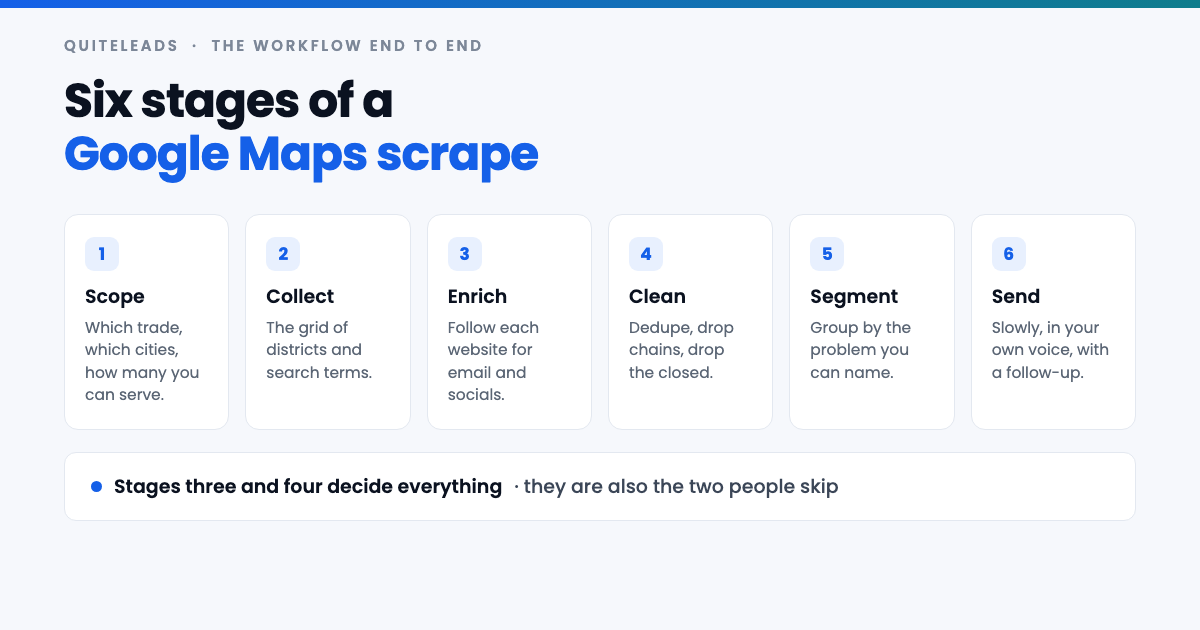
- Scope. Before any Google Maps scraping starts: which trade, which cities, and honestly how many businesses you can contact properly. This number is smaller than you think and it should govern everything after it.
- Collect. The grid of districts and search terms, run one query at a time.
- Enrich. Follow each website for the email address and the social profiles.
- Clean. Deduplicate, drop the chains, drop the permanently closed, drop anything with no reachable channel.
- Segment. Group by the problem you can name — no website, low review count, competitor’s booking tool — because that is what the message is built on.
- Send. Slowly, in your own voice, with two follow-ups.
Stages three and four are the ones people skip, and they are the two that decide whether Google Maps scraping produces clients or produces a spreadsheet. Collecting is the easy stage and the one every tool advertises.
Getting past the result limit
The one hard constraint on Google Maps scraping is the per-query cap. A single search returns roughly 120 results and then stops. The cap belongs to the query, not to your account, so signing in, scrolling harder or paying for a faster tool changes nothing.
You get past it by running many small queries instead of one large one. Split the city into named districts and frame the map on each in turn; split your category into every term the market uses; then run the same grid against the adjacent categories that suit the same offer. Six terms across eight districts is 48 queries, each with its own cap, which is how a capped source produces thousands of businesses. The method in full, including how to know when a district is exhausted, is in our guide to scraping unlimited leads from Google Maps.
Overlap between queries is expected and fine, provided duplicates collapse. Matching on the website domain is the most reliable rule, with the phone number as a fallback; never match on business name alone, or you will merge every barber shop in the country.
Adding the emails and social profiles
This is the stage that turns Google Maps scraping from a data exercise into lead generation, and it happens entirely off Maps.
The website URL on the listing is the bridge. A business publishes its contact email in the footer or on the contact page, and its Instagram, Facebook, LinkedIn and TikTok links in the icon row that nearly every small-business site carries. Following that link for every row is what produces a contactable list — the details, including where to look when the footer gives you nothing, are in extracting contact info and social links from Google Maps.
Two rules keep this honest. Record the full profile URL rather than the handle, because handles collide across platforms and need rebuilding later. And never invent an address to fill a blank — guessing at a mailbox produces bounces, and enough bounces damage delivery for every genuine prospect on the list.
Some businesses publish nothing, and a good number have no website at all. Those rows are not failures; if you sell websites, SEO or booking software they are the most qualified leads you have, and the gap writes your opening line for you.
Choosing a tool
Every Google Maps scraping tool on the market collects the listing fields, so that is not a differentiator. Three questions sort them: does it follow the website for emails and socials, does it deduplicate across searches, and is the pricing flat rather than per row?
Per-row pricing deserves particular suspicion, because it charges you for the strategy that works. Google Maps scraping is a scrape-wide, send-narrow discipline — you collect broadly and then throw most of it away. A tool that makes discarding rows feel expensive quietly stops you filtering. The longer checklist, along with the red flags worth walking away from, is in our guide to choosing a Google Maps lead scraper.
That is the part QuiteLeads is built for. It is a Chrome extension, so it works on the Maps page you already have open — no login handed over and no cloud queue. It collects the listing fields, follows each business’s own website for the email and the social profiles, and skips anything you have collected before.
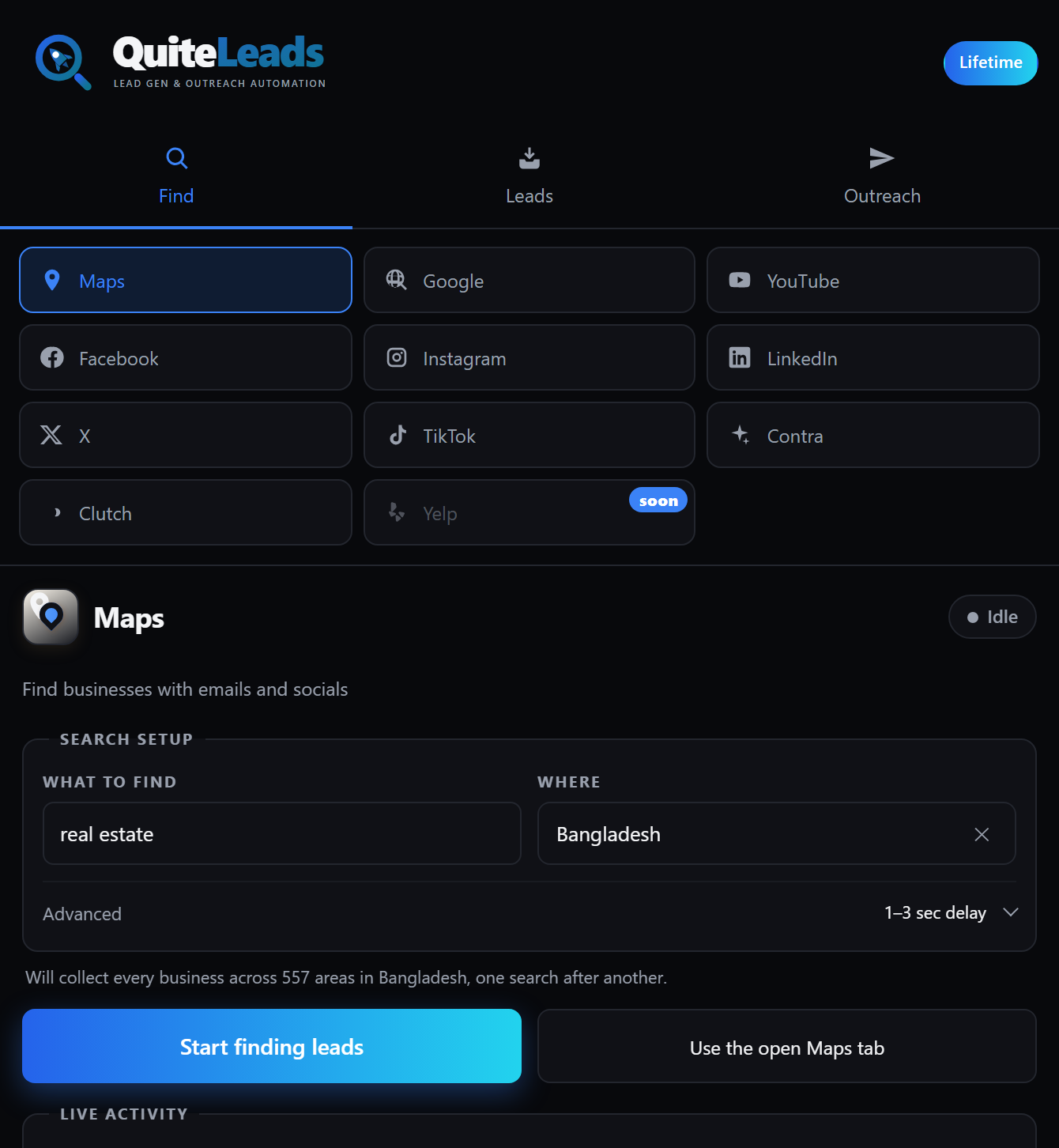
Because Maps is one of ten sources it handles, a business found on the map and a profile found on Instagram end up as the same kind of record in one dashboard. Export to CSV or JSON whenever you want, or message straight from the list.
Turning the list into clients
Google Maps scraping ends with a list, and a list is not pipeline. The step that converts one into the other is a message specific enough that it could not have been sent to anyone else, and the listing you collected is full of raw material for exactly that.
- No website — a brief, if you sell anything digital.
- A strong rating with few reviews — they are good and nobody knows it.
- Their position in a named district — specific, true, and obviously not mass-sent.
- A booking or ordering link — tells you what they already pay for.
Email leads for anything with a price tag; social leads for salons, gyms, restaurants and trades where the owner runs the account themselves. Follow up twice and then stop. Never mention how you built the list. The full playbook — niche, hook, sequence and the numbers behind it — is in how to generate leads from Google Maps in 2026.
Five uses beyond cold outreach
The same afternoon of collecting answers questions that have nothing to do with sending messages, which is worth knowing before you decide Google Maps scraping is not for you.
- Market sizing. How many independent clinics are there actually in this city? Maps answers that better than any industry report, and for free.
- Competitor mapping. Where your competitors cluster, what they are rated, and which districts nobody is serving.
- Site selection. If you are opening somewhere, the density and ratings of the incumbents is the cheapest research available.
- CRM enrichment. Matching an old customer list against current listings tells you who has closed, moved or rebranded since you last spoke.
- Partner and supplier discovery. The businesses adjacent to your buyer are often a better first conversation than the buyer.
Data quality and how fast it decays
Maps data is unusually fresh compared with any bought list, because the business itself maintains it — wrong opening hours cost them customers today. That is the single strongest argument for Google Maps scraping over buying a database.
It still decays. Local businesses close, rebrand, change hands and move premises constantly, and a listing can sit stale for months before anyone flags it. Treat anything older than a quarter as suspect, and re-run the grid before a second pass — with deduplication on collection, that run only shows you what is new, which takes minutes rather than an afternoon.
Review count is your best staleness check. A business with two hundred reviews and a recent one is unquestionably trading; three reviews from 2019 may not exist any more. Sort by it before you spend a morning writing.
Getting blocked, and how not to
Google does not much mind a person browsing its map. It minds traffic that does not look like a person, which is why the shape of your tooling matters more than any setting inside it.
- Work at human pace. A query, a scroll, a pause. Hammering queries is what triggers a challenge.
- Spread a city over several days. Nothing about a grid is urgent.
- Stay in your own browser and session. Datacentre traffic is the pattern that gets flagged; ordinary browsing is not.
- Stop when you see a verification prompt rather than pushing through it.
The same restraint applies downstream. There is no point doing careful Google Maps scraping and then burning the list with a sending pattern that looks like a machine.
Is Google Maps scraping legal?
Two questions hide inside the question of whether Google Maps scraping is legal, and conflating them is how people get into trouble. The first is whether collecting the data is permitted. The second is whether you may market to what you collected — and that is where the real penalties are.
On collecting: a business name, address, phone number and website on a public listing is business contact information, published deliberately so customers can get in touch, and it is treated differently from personal data about an individual. Google’s own position on automated access to its services is set out in its Terms of Service, which is worth reading directly rather than taking a vendor’s summary of it. If your organisation needs to stay strictly inside a documented interface, the Places API is the sanctioned route.
On sending: UK and EU rules treat email to a corporate subscriber differently from email to a sole trader or an individual, and every message must identify you and offer a way to opt out. In the United States, CAN-SPAM permits cold email to businesses but requires accurate headers, a physical postal address and a working unsubscribe link. A named owner’s personal email address brings GDPR into play regardless of where you found it.
None of this is legal advice and the rules move. The practical version: collect what businesses publish for exactly this purpose, keep the volumes sane, say who you are, honour an opt-out the first time, and take proper advice before running high volumes into a regulated market.
What it costs
Google Maps scraping has three costs, and only one of them is money.
- Time. By hand, about two minutes per business — four hours for a hundred and twenty listings. With tooling, ten to fifteen minutes for the same city, plus five minutes of filtering.
- Money. Flat monthly for an extension, per row for cloud tools, per request for the API. Per-row is the model that quietly costs the most, because it changes what you collect.
- Reputation. The hidden one. Guessed emails, no filtering and no follow-up plan will cost you a sending domain, which is far more expensive than any subscription.
The mistakes that waste the effort
- Searching the city instead of the district. The single biggest cause of a small list.
- Stopping at the listing. Google Maps scraping without enrichment gives you a phone book, not a pipeline.
- No deduplication. Ten thousand rows might be four thousand businesses, and you will not know which.
- Collecting before deciding the offer. The list should be built to fit the message.
- Guessing emails. Bounces are expensive in a way that blank cells are not.
- Scraping everything before testing anything. One district, twenty messages, then decide.
What to measure
Four numbers tell you whether Google Maps scraping is earning its place in your week:
- Contactable rate — the share of collected rows with an email or a social profile. Below half, your niche is thinly online and phone should lead.
- New businesses per query — when this approaches zero across a district, that district is done.
- Bounce rate — above a few percent means somebody is guessing at addresses.
- Minutes per booked call — collecting plus filtering plus sending, divided by calls. The only number that pays you.
Run one district end to end before committing to a city. Your market may disagree with this guide, and your numbers outrank my opinion.
Frequently asked questions
What is Google Maps scraping?
Reading the businesses shown in a Google Maps search into structured rows – name, category, address, phone, website, rating and review count – instead of opening each listing and copying the fields by hand. Everything collected is already published on the page.
Is Google Maps scraping legal?
Collecting business contact details published on a public listing is treated differently from collecting personal data, but the sending side is governed separately by GDPR, PECR and CAN-SPAM depending on where your prospect is. Read Google’s Terms of Service directly, identify yourself in every message, and honour opt-outs.
Can you get emails from Google Maps scraping?
Not from the listing – a Google Business Profile has no email field. Emails come from a second step: following the website link on the listing through to the business’s own site, where the address is usually in the footer or on the contact page.
How many results can you get from one Google Maps search?
Roughly 120, then Maps tells you that you have reached the end. The cap belongs to the query rather than your account, so larger volumes come from running many narrow searches across districts and search terms and deduplicating the overlap.
What is the best tool for Google Maps scraping?
For one person building a pipeline, a browser extension that runs on your own session: it works at human pace, is usually flat-priced, and draws far less attention than datacentre traffic. Judge any tool on whether it follows the website for emails and socials and whether it deduplicates.
Is Google Maps scraping worth it for lead generation?
For businesses that serve a physical area, it is the most complete and most current source available, because the business maintains its own listing. It is only worth it with the enrichment step, though – without emails or social profiles you have a phone book.
The short version
Google Maps scraping for lead generation, in one line. The listing gives you the phone and the website. The website gives you the email and the socials. The grid of searches gives you the volume, and the filtering gives you the replies. Skip the enrichment and you have a phone book; skip the filtering and you have a spam complaint.
Read next: how to scrape unlimited leads from Google Maps, how to extract contact info and social links, how to choose a Google Maps lead scraper, the 2026 lead generation playbook, how to choose a lead generation tool, finding B2B leads on Google Maps, and the thirty-minute local leads sprint. Or get QuiteLeads and run your first district this week.